

Marketing teams are under constant pressure to do more with less. They need to create content faster, understand customers better, and launch campaigns across multiple channels – all while staying on budget. That’s why artificial intelligence (AI) has become a practical tool for businesses of all sizes, not just large enterprises. According to McKinsey’s 2025 State of AI report, 88% of organizations now use AI in at least one business function – up from 78% the year before.
Among the growing number of AI assistants, Google Gemini’s most notable advantage for marketers is its integration with Google Workspace tools like Docs, Sheets, and Gmail. Whether you’re drafting copy in Google Docs, reviewing campaign data in Sheets, or organizing projects in Drive, Gemini can help speed up routine tasks and support more informed decisions.
In this guide, you’ll learn how to use Gemini for marketing, explore its most useful features, discover practical use cases, and find tips for getting better results while keeping human creativity and expertise at the center of every marketing campaign.
Key takeaways: Gemini for marketing
- Gemini supports marketers across research, content creation, reporting, and strategic planning.
- It integrates with Google Workspace tools many teams already use every day.
- Features like Deep Research, file analysis, multimodal input, and Gems make it more than a chatbot.
- Gemini for marketing can help you generate content ranging from a quick blog post to a full press release or executive summary.
- Human review is still a must.
What is Gemini AI?
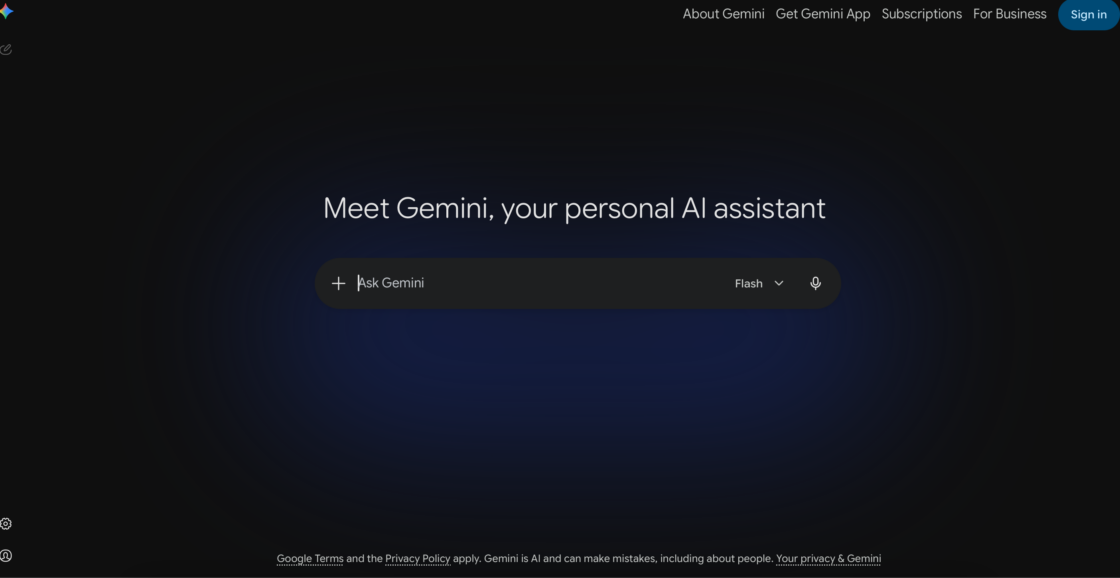
Google Gemini is Google’s generative AI assistant. It helps people create, analyze, and organize information using natural language. Instead of relying on traditional search queries or manual workflows, you can ask Gemini to draft content, summarize documents, brainstorm ideas, or explain complex topics in plain English.
Competitive advantages of Gemini for marketing
Various types of information
One of Gemini’s biggest strengths is its multimodal capabilities. It can work with different types of information – not just text. You can upload PDFs, spreadsheets, presentations, images, or screenshots and ask Gemini to analyze them, extract key points, answer questions, or generate new content based on the files. This makes it useful for marketers who regularly work with marketing campaign reports, creative assets, research documents, and performance metrics.
You might wonder how this differs from a standard Google Search. The key difference is that Gemini synthesizes information, generates new content, and works directly inside your documents. Think of Google Search as a library, and Gemini as a research assistant who reads the books for you and helps you write.
All-in-one system
Gemini for marketing also stands out because it’s deeply integrated with Google’s ecosystem. It works alongside familiar tools like Google Docs, Sheets, Gmail, Drive, and Calendar. This helps users complete everyday tasks without constantly switching between applications. For businesses that already rely on Google Workspace, this integration can simplify collaboration and reduce time spent on repetitive work.
Easy access
You can access Gemini through a web browser, the mobile app, or directly within supported Google Workspace apps. This flexibility allows marketers to move seamlessly between planning campaigns at their desks, reviewing reports on the go, or collaborating with teammates in shared documents.
AI tools are increasingly common in marketing workflows, and Google Gemini is among the platforms businesses are exploring for this purpose. While it won’t replace strategic thinking or creative expertise, it can handle many time-consuming tasks that slow teams down. From researching competitors and planning campaigns to creating first drafts and analyzing marketing data, Gemini for marketing helps teams spend less time on repetitive work and more time making informed decisions.
Gemini models: Gemini free vs. Gemini Advanced – which do you need?
Gemini is available in two main versions for individual users. Choosing the right plan is the first practical step in using Gemini for marketing effectively.
Gemini (free) gives you access to the core AI assistant at gemini.google.com. You can chat, upload files, and use basic features. It’s a good starting point for solo marketers or freelancers exploring AI for the first time.
Gemini Advanced (from $19.99/month as of June 2026) unlocks features that matter more for serious marketing work:
- Deep Research for multi-source research reports;
- longer context windows for analyzing large documents;
- priority access to the latest Gemini models;
- integration with Google Workspace apps like Docs, Sheets, and Gmail.
Depending on your Google Workspace Business plan tier, some Gemini features may be included – check your current plan at workspace.google.com/pricing to confirm what’s available to you.
Why use Gemini for digital marketing?
Whether you’re a solo freelancer, part of an in-house marketing team, or running an agency, Gemini can help you work more efficiently. Instead of replacing marketers, it takes care of repetitive tasks. This frees up time for strategy, creativity, and decision-making. Here are some of the biggest advantages of using Gemini for marketing.
Content ideas and faster content creation
Creating high-quality marketing materials takes time. Gemini can speed up the process by generating first draft versions of blog posts, email campaigns, landing pages, social media posts, product descriptions, video scripts, and more.
💡 If you want to see how Gemini for marketing compares to other AI writing tools for this kind of work, our roundup of the best AI copywriting tools breaks down the strengths of each.
It’s also useful for overcoming writer’s block. You can ask Gemini to brainstorm headlines, suggest different angles for a marketing campaign, or rewrite existing copy for a specific target audience or marketing channel. Rather than starting with a blank page, your team can begin with a solid draft and refine it to match your brand voice.
Better market and competitor research
Good digital marketing starts with understanding your target audience and the competitive landscape. Gemini can help organize information from multiple sources, summarize industry trends, and identify patterns that would otherwise take hours to uncover.
Analyze documents, spreadsheets, and reports
Marketing teams deal with a constant flow of information – from campaign performance reports and survey results to analytics exports and presentation decks. Reviewing all of that manually can be time-consuming. Gemini can quickly summarize lengthy documents, identify trends in spreadsheets, and turn complex data into clear, actionable insights.
Collaborate more efficiently across teams
Marketing doesn’t happen in isolation. Campaigns often involve designers, copywriters, SEO specialists, freelancers, sales teams, and stakeholders across the entire company. Gemini for marketing teams can make collaboration easier by helping create campaign briefs, summarize meeting notes, prepare presentations, and standardize documentation. Teams can build reusable AI assistants, called Gems, for recurring tasks.
💡 If you regularly work with external contractors, see the top AI marketing skills freelancers need going into 2026 so everyone on the team is working from the same playbook.
Gemini for marketing vs. other AI tools
There’s no single AI tool that’s best for every marketing task. Each platform has its own strengths, and many marketing professionals combine several AI tools in their daily work. For example, one tool may be better suited for brainstorming content ideas, while another excels at research, document analysis, or editing long-form copy.
If you’re choosing an AI assistant, think about how it fits into your current marketing strategy rather than looking for an all-in-one solution.
| Feature | Gemini | ChatGPT (GPT-4) | Claude | Perplexity |
| Google Workspace integration | Native – works inside Docs, Sheets, Gmail, Drive | Via plugins only | No native integration | No native integration |
| Context window | Very long (up to 1M tokens) | Long (128K tokens) | Long (up to 200K tokens) | Moderate |
| Document and file analysis | Strong – supports PDFs, spreadsheets, images, slides | Yes, with Code Interpreter | Strong – handles long documents well | Limited |
| Image generation | Yes, Nano Banana built in | Yes, via DALL·E | No | No |
| Web search / live data | Yes | Yes (with browsing) | No | Yes – core feature |
| Brand voice consistency | Moderate – improves with Gems | Good with custom instructions | Strong with Projects | Limited |
| Multimodal input | Strong – text, image, audio, video, documents | Strong | Text and documents | Primarily text |
| Best for marketers who… | Already use Google Workspace and need AI embedded in existing tools | Need a versatile general-purpose assistant for drafting and brainstorming | Work with long documents, complex editing, and need strong instruction-following | Need to quickly find cited sources and research a topic |
Note: AI tools update frequently. Always check the latest documentation before choosing your AI assistant.
As you can see, Gemini’s biggest advantage is its close connection with Google’s ecosystem. If your team already uses Google Docs, Sheets, Gmail, Drive, or Calendar, you can bring AI directly into the tools you work with every day. That doesn’t mean Google Gemini is the right choice for every task. ChatGPT is widely used for generating creative ideas and producing first draft versions of copy. Claude is often preferred for refining long documents and complex editing. Perplexity is a popular option when marketers need to quickly gather information from multiple sources.
💡 Want to compare other AI tools? Our guide to the best AI tools for freelancers covers the wider landscape if you’re building out a toolkit beyond Gemini for marketing tasks.
Interestingly, many marketing professionals don’t limit themselves to a single AI assistant. Instead, they build a toolkit and choose the platform that best matches the job at hand. For example, a marketing VP or content lead might use Perplexity to research a topic, Gemini to analyze supporting documents and create a marketing campaign brief, and other AI tools to polish the final copy. The goal is to create a workflow that helps your team produce better marketing efforts more efficiently.
How to integrate Gemini into your marketing workflow
You don’t need to overhaul your current process. The most effective approach is to start small and build gradually. Begin by listing repetitive tasks your team handles regularly – drafting blog post outlines, creating social media captions, summarizing meeting notes, preparing campaign briefs, or analyzing monthly reports. These are the best starting points to use Gemini for marketing because they follow a predictable structure and free up time for higher-value work.
From there, a simple six-step process works well for most teams:
- Identify repetitive tasks – pick two or three recurring tasks to hand off to Gemini first.
- Start with research – use Gemini to gather background information, summarize reports, or run a competitor analysis before a campaign starts.
- Draft your content – let Gemini produce the first draft of a blog post, email, landing page, or press release. Treat it as a starting point, not a finished product.
- Review, edit, and refine – check every output for brand voice, accuracy, and alignment with your strategy before publishing.
- Create Gems for recurring tasks – once you’ve found workflows you repeat often, build a Gem with your preferred instructions so your team doesn’t start from scratch each time.
- Collaborate with your team and freelancers – share standardized prompts, brand guidelines, and Gems so everyone works from the same starting point, whether they’re in-house or external.
💡 If you’re new to working this way, our overview of freelancing with AI in 2026 is a useful starting point for understanding how this shift is changing collaboration on both sides.
8 practical ways to use Gemini for marketing
Google Gemini can support marketers throughout the entire campaign lifecycle – from research and planning to content creation and reporting. Here are eight practical ways businesses, agencies, and freelancers can use Gemini for marketing to work more efficiently.
1. Conduct market and competitor deep research
Strong campaigns start with strong market research. Before you create content or launch a product, you need to understand your target audience, competitors, and the market you’re entering.
How it works: Gemini’s Deep Research feature gathers information from multiple sources and presents it in a structured format – replacing the process of manually switching between dozens of browser tabs. (Note that Deep Research is available on Gemini Advanced only).
Use Gemini to:
- identify emerging industry trends to inform your content strategy;
- summarize competitors’ messaging and positioning as part of a competitor analysis;
- explore customer insights and pain points;
- compare products or services in your market;
- generate ideas for new campaigns based on market research insights.
While it’s still important to verify key facts and data, Gemini for marketing can help you move from market research to real strategy.
2. Create marketing content faster
Creating quality marketing materials consistently is one of the biggest challenges for marketing teams. Gemini won’t replace human creativity, but it can dramatically shorten the time it takes to produce a first draft.
How it works: You describe what you need – audience, format, tone, goal – and Gemini generates a structured starting point in minutes. It can also rewrite existing material for different audience segments, simplify technical language, or adapt messaging for multiple channels.
For example, you can use Gemini for marketing to create:
- content ideas and blog post outlines;
- email newsletters with a compelling subject line;
- landing page copy for ad campaigns;
- product descriptions for a product launch;
- corporate profiles tailored to specific job roles or audiences – useful for company pages, speaker bios, or partnership decks;
- a press release announcing a new service – Gemini for marketing can transform existing content such as a blog post or internal announcement into a structured press release format with minimal input;
- an entire company rebrand update.
Instead of starting from scratch, marketers can focus on editing, refining, and adding their expertise.
3. Improve SEO workflows
You can use Gemini for marketing SEO tasks, especially during the planning and content strategy stages. While it isn’t a replacement for dedicated SEO platforms or keyword research tools, it can help marketers organize ideas and speed up repetitive work.
💡 For a deeper look at how AI fits into search optimization more broadly, see our guide on SEO content and AI.
How it works: Gemini helps with the language and structure side of SEO – generating keyword ideas, building outlines, and drafting on-page elements. Pair it with your preferred SEO platform for data and rankings.
Some common applications include:
- generating long-tail keywords and broader keyword ideas;
- creating topic clusters to support your content strategy;
- building content outlines;
- writing title tags and meta descriptions;
- suggesting FAQ questions based on a topic;
- identifying related subtopics to cover in a blog post.
4. Plan marketing campaigns
Marketing campaign planning often involves gathering information from different teams, organizing ideas, and turning them into a clear execution plan. Gemini can help simplify that process.
How it works: Gemini takes your inputs – goals, audience, channels, timeline – and turns them into structured planning documents. It works best when you give it as much context as possible upfront.
It can assist with creating:
- marketing campaign briefs;
- product launch plans;
- messaging frameworks aligned with your brand voice;
- campaign timelines;
- a budget table for marketing spend estimates;
- presentation outlines – including Google Slides decks – for internal meetings or client pitches, entire company all-hands updates, or marketing VP reviews.
Rather than replacing strategic planning, Gemini helps organize information into actionable documents that are easier to review and share.
5. Generate custom visuals and social media content
Maintaining an active social media presence requires a steady stream of fresh content ideas. Gemini can help marketers generate content more efficiently while adapting it to different platforms and target audience segments.
How it works: Gemini generates written post variations and can also produce visual concepts and mockups – from social graphics to campaign illustrations – choosing from styles such as photography, illustration, or sketch. Final creative assets still benefit from professional design, but Gemini gives designers a starting point rather than a blank brief.
You can use it to generate:
- post captions for product announcements, LinkedIn, and seasonal campaigns;
- multiple versions of the same campaign message for content repurposing across channels;
- monthly content calendars;
- visual concepts and mockups for early-stage campaigns;
- ideas for event-based or promotional content.
Generating several variations also makes it easier to test different messaging styles before publishing.
6. Create email marketing campaigns
Email consistently ranks among the highest-ROI digital marketing channels – a finding supported by industry research from sources including Litmus and HubSpot – but writing effective campaigns takes time.
How it works: Gemini drafts email copy and subject line variations based on your audience segment, campaign goal, and tone.
It can help create:
- email subject lines and subject line variations;
- welcome and nurture email sequences;
- promotional campaigns;
- abandoned cart reminders;
- event invitations;
- A/B testing variations for email subject lines or ad copy.
Instead of producing a single version, ask Gemini to generate several alternatives with different tones or calls to action. This gives your team more options to evaluate before sending.
7. Analyze marketing performance and documents
One of Google Gemini’s most practical capabilities is turning large amounts of information into clear, actionable output – whether that’s a performance report, a survey, a competitor document, or a client brief.
How it works: Gemini lets you upload files and ask questions about their contents in plain language. You can upload PDFs, spreadsheets, presentations, screenshots, or images and ask Gemini to summarize, compare, or extract what you need. You don’t need to read every page yourself. Most marketing teams struggle to keep up with the volume of data they collect – manual review is slow and often incomplete. Gemini can help close that gap.
For performance analysis, Gemini can help by:
- summarizing Google Analytics and Google Ads reports;
- analyzing spreadsheets with performance metrics;
- identifying performance trends and anomalies to track marketing ROI;
- comparing results across campaigns;
- summarizing customer feedback to identify overall sentiment and flag emerging issues;
- identifying recurring themes across customer reviews, support tickets, or survey responses;
- preparing a one-page executive summary for decision-makers.
For document work more broadly, it’s useful for:
- summarizing long PDF reports or strategy documents into clear bullet points;
- reviewing Google Slides presentations before meetings;
- comparing multiple documents to identify key differences;
- extracting action items from briefs or meeting notes.
Rather than replacing your analytics tools, Gemini helps transform raw information into insights that are easier to communicate and act on.
8. Build reusable AI workflows with Gems
Gems are one of Gemini’s most distinctive features – and one of the most underused. A Gem is a custom AI assistant you build inside Gemini for a specific recurring task. Instead of writing the same detailed prompt every time, you configure the Gem once with your preferred instructions, tone, and structure. It remembers those settings and applies them every time you use it.
How it works: You give the Gem a set of instructions – your brand voice, preferred output format, audience details – and Gemini follows them automatically on every request. This is especially valuable for agencies and teams working with freelancers, where consistency across contributors matters.
💡 If staying on-brand is a recurring challenge for your team, our guide on how to keep your brand voice when using AI covers this in more detail.
For example, your marketing team could create:
- a Brand Voice Gem that writes in your company’s brand voice;
- an SEO Gem that generates optimized content outlines with the best keywords;
- a Campaign Planner that structures marketing briefs;
- a Social Media Assistant that creates platform-specific ad copy and captions;
- a Press Release Generator that drafts announcements or company-wide updates.
By standardizing instructions through Gems, teams can rely on consistent, on-brand output – regardless of who runs the prompt.
Prompt examples: Gemini for marketing workflows
The quality of Gemini’s responses depends largely on the quality of your prompts. A vague request usually leads to a generic answer, while a detailed prompt helps Gemini generate content that is more accurate and useful.
Pro tip: Better context leads to better outputs. Instead of asking Gemini to “write a blog post” or “create an email,” explain who you’re targeting, what you’re promoting, your preferred brand voice, desired length, and the outcome you want to achieve. Even small details – like specifying a more excited tone for a product launch announcement or a neutral tone for a company-wide policy update – can significantly improve the quality and relevance of the response.
A good rule of thumb is to include as much context as possible. Mention your target audience, business goals, preferred brand voice, marketing channel, and any important constraints. The more context Gemini has, the better it can tailor its response.
Here are a few prompt ideas you can adapt to different marketing tasks.
Competitor research
Prompt:
“Compare the marketing strategies of three leading project management software companies targeting small businesses. Summarize their key messaging, target audience, unique selling points, and content strategy approach. Highlight opportunities our brand could use to differentiate itself as part of our competitor analysis.”
This type of prompt can help you build marketing campaign briefs or prepare for a product launch.
Campaign planning
Prompt:
“Create a launch plan for a new productivity app aimed at remote teams. Include marketing campaign objectives, target audience, key messages, suggested marketing channels, a four-week timeline, and ideas for measuring marketing ROI.”
Gemini can turn broad ideas into structured marketing plans that are easier to refine with your team.
SEO content
Prompt:
“Create an SEO content brief for a blog post targeting the keyword ‘time management for freelancers.’ Suggest related subtopics, long-tail keywords, frequently asked questions, internal linking opportunities, and a logical heading structure.”
Remember that Gemini supports SEO planning and content creation, but keyword research and performance analysis should still be backed by dedicated SEO tools.
Social media
Prompt:
“Write five LinkedIn posts promoting our new cybersecurity webinar. Each version should use a different angle, such as industry trends, customer insights, expert insights, or business benefits. Keep the brand voice professional and end with a clear call to action.”
Generating multiple variations makes it easier to test different messaging styles across marketing campaigns.
Email marketing
Prompt:
“Write a promotional email for existing customers introducing our new premium subscription plan. Use a friendly but professional brand voice, keep the email under 200 words, and include three alternative email subject lines and two different calls to action.”
You can also ask Gemini to rewrite the email for different target audience segments or campaign goals.
Report analysis
Prompt:
“Analyze the attached monthly marketing campaign performance report. Summarize the most important insights into a one-page executive summary, identify trends in performance metrics, point out any unexpected changes in marketing ROI, and recommend three actions the marketing team should prioritize next month.”
This type of prompt is particularly useful when working with large reports, spreadsheets, or presentation decks that would otherwise take significant time to review.
💡 For a broader set of prompt tips you can adapt beyond marketing, check out our collection of AI prompts for copywriting.
Best practices for using Gemini for marketing
Getting good results from Gemini comes down to how you prompt it and how you review its output. These practices will help you stay consistent and avoid common mistakes.
Write detailed prompts
As we said in the previous section – the more context you provide, the better Gemini can tailor its response. Instead of asking it to “write a product description,” explain who the product is for, what problem it solves, your preferred brand voice, the desired length, and the goal of the content.
A detailed prompt saves time on revisions and produces content that’s much closer to what you need.
Upload supporting documents
Gemini works particularly well when it has additional context. Uploading documents such as brand voice guidelines, marketing campaign briefs, customer personas, marketing reports, or Google Slides decks allows it to generate responses based on your existing materials instead of relying on general assumptions.
This is especially useful for businesses that want AI-generated content to align with their current marketing strategy and business objectives.
Keep humans involved
AI can speed up marketing workflows, but it shouldn’t replace human expertise. Marketers still play a critical role in developing marketing strategy, understanding customer insights, making creative decisions, and ensuring content reflects the brand voice.
Think of Gemini as a collaborative assistant rather than a digital marketing manager.
Fact-check important claims
Although Gemini can produce convincing responses, it may occasionally generate inaccurate or outdated information. Before publishing content, verify statistics, product details, legal claims, and other factual information using reliable sources.
A quick review helps protect your brand’s credibility. It’s especially important for a press release announcing a new product launch or a report on marketing ROI.
Maintain your brand guidelines
Consistency is essential in digital marketing. Whether you’re creating a blog post, social media updates, or email campaigns, every piece of content should reflect your brand voice and messaging.
Include your style guide, brand voice, preferred terminology, and formatting requirements in your prompts whenever possible. For recurring tasks, consider creating a Gem that automatically follows your brand voice guidelines.
Test multiple outputs
There’s rarely a single “perfect” response. Ask Gemini to generate several versions of headlines, email subject lines, calls to action, ad copy, or social media posts, then compare them to see which one best fits your marketing campaign goals.
Exploring different approaches can lead to stronger messaging and better marketing ROI.
Protect confidential information
Before uploading documents or sharing project details, consider whether they contain confidential business information, sensitive customer data, or marketing strategy. Review your organization’s AI usage policies and avoid sharing information that shouldn’t leave your internal systems.
Using AI responsibly is just as important as using it effectively. A thoughtful approach helps you benefit from Google Gemini’s capabilities while protecting your business, your clients, and your customers.
Quick checklist: Are you using Gemini for marketing effectively?
Use this list before you publish any AI-assisted content:
If you can check all seven, the content is ready to move forward.
Scale your marketing with freelancers who know AI
Gemini can handle a lot – but the best results still come from pairing it with the right human expertise. Useme makes it easy to find freelance marketers who already use AI tools like Gemini as part of their daily workflow. Browse profiles, compare experience, and hire with confidence – no subscription required.
👉 Hire freelancers who use Gemini for marketing
Challenges and limitations of Gemini for marketing
Gemini can save marketers significant time, but it’s not a hands-off solution. Like other AI tools, it has limitations that businesses should understand before incorporating it into everyday workflows. Knowing where Gemini can fall short will help you use it more effectively and avoid common pitfalls.
Hallucinations and factual errors
Gemini can occasionally generate information that sounds accurate but is incorrect, incomplete, or entirely made up. This is often referred to as an AI “hallucination.”
These mistakes aren’t always obvious. They can affect a blog post, product descriptions, market research, or customer-facing marketing materials. Always verify important facts, statistics, quotes, and references before publishing.
Outdated or incomplete information
Although Gemini can access and analyze a wide range of information, it may not always reflect the latest developments or capture every nuance of a fast-changing industry.
If you’re creating content about recent trends, regulatory changes, or breaking news, supplement Gemini’s output with current, reliable sources to protect the credibility of your current marketing strategy.
Overly generic content
One of the most common criticisms of AI-generated copy is that it can feel generic. If prompts lack detail, Gemini may produce content that is technically correct but not reflective of your brand voice or personality.
The best way to avoid this is to provide clear instructions, include additional context, and treat AI-generated text as a first draft rather than a finished product.
Human editing is still essential
Even when Gemini produces a strong first draft, human review remains an important part of the process. Editors should check for clarity, accuracy, brand voice, grammar, and alignment with marketing strategy goals.
Adding original customer insights, examples, or industry expertise also helps create content that offers genuine value instead of repeating information readers can find elsewhere.
Privacy and data security
Before uploading files or sharing business information, consider what data you’re providing to the AI. Internal reports, customer insights, financial documents, or confidential project details may require additional safeguards or internal approval.
Every organization should establish clear guidelines for using AI responsibly and make sure employees understand what information can and cannot be shared.
The future of Gemini for marketing
AI is already changing how teams work, and Google Gemini for marketing is likely to become an even more integrated part of everyday workflows. Rather than replacing marketers, its role is shifting toward supporting them throughout the entire marketing campaign lifecycle – from research and planning to content creation, collaboration, and performance analysis.
As these tools continue to mature, the businesses that benefit most will be those that combine AI’s speed with human judgment. Used this way, Google Gemini for marketing becomes a practical part of a smarter, more efficient digital marketing workflow.
FAQs: Gemini for marketing
Is Gemini free for marketers?
Yes. Gemini has a free tier available at gemini.google.com. It includes core features like chat, file uploads, and basic research.
Can Gemini replace a content writer?
No. Gemini can produce fast first drafts, but it doesn’t understand your brand, your audience, or your business the way a skilled writer does. It works best as a tool that speeds up the drafting process – not as a replacement for human expertise and judgment.
How is Gemini different from ChatGPT for marketing?
The main difference is ecosystem integration. Gemini works directly inside Google Workspace – including Google Docs, Sheets, Gmail, and Drive. ChatGPT is a standalone tool. If your team already works in Google’s tools, Gemini is usually the more practical choice.
Is Gemini good for SEO and ad copy?
Gemini can help with SEO tasks like generating keyword ideas, writing content outlines, drafting meta descriptions, and building topic clusters. For keyword data, backlink analysis, and rank tracking, you’ll still need a dedicated SEO platform – but Gemini speeds up the content planning and creation process.
Can I use Gemini to analyze marketing performance data?
Yes. You can upload spreadsheets, analytics exports, or PDF reports and ask Gemini to summarize trends, flag anomalies, or prepare an executive summary. It works best alongside your existing analytics tools, not instead of them.
What is a Gemini Gem?
A Gem is a custom AI assistant you build inside Gemini. You give it specific instructions – like always writing in your brand voice, or always formatting briefs in a certain way – and it follows those instructions every time you use it. This is especially useful for recurring marketing tasks.
Does Gemini work with Google Ads?
Gemini can help you draft ad copy, brainstorm campaign angles, and analyze performance data from exported reports. However, it doesn’t connect directly to Google Ads to pull live data. For direct integration, use Google Ads’ built-in AI tools alongside Gemini.
Where can I find a marketer who already knows how to use Gemini?
Useme connects you with freelance marketers experienced in Gemini. They already know how to use it so instead of experimenting yourself, you get someone who knows which tasks to delegate to AI and which need a human touch.
This article was created with the assistance of AI technology.
| Author: Ela Binkowska |