

Key takeaways
- Bulk payments let you send money to many recipients in one workflow instead of one at a time.
- A good bulk payment platform validates data, flags errors, and creates an audit trail automatically.
- International bulk payments need extra details, like SWIFT/BIC codes and IBAN numbers, to route funds correctly.
- Choosing the right solution means checking coverage, integrations, approval workflows, security, and pricing before you commit.
Whether you’re paying freelance designers, software developers, consultants, creators, or suppliers, bulk payments make it easier to scale your operations without scaling the administrative burden.
💡 If you’re still deciding which payment method makes sense for individual freelancers before you scale up to bulk runs, our guide to paying freelancers breaks down the pros and cons of each option.
However, in this guide, you’ll learn how bulk payments work, when it’s time to move away from manual transfers, their biggest advantages and challenges, and what to look for when choosing a solution for paying contractors at scale.
What are bulk payments?
At its simplest, a bulk payment lets you send money to multiple recipients in one workflow instead of creating each payment separately.
Rather than logging into your banking platform over and over, you prepare a list of recipients, review the payment details once, and authorize the entire payout. Behind the scenes, your payment provider processes each transfer individually, so every contractor or supplier receives their own payment while you complete the task in a single operation. Depending on the provider, a bulk transfer can move through wire transfers, ACH transfers, or direct deposit, so recipients get funds through the payment rail that works best for them.
Bulk payments vs. batch processing vs. single payments
The terms bulk payments and batch payments are often used interchangeably, but they don’t always mean the same thing. Understanding the distinction can help you choose the right payment workflow – and avoid confusion when comparing payment providers.
| Payment method | What it means | Best for |
| Single payment | One payment is created and approved for one recipient. | Occasional invoices, one-off contractors, or low payment volumes. |
| Bulk payment | Multiple payments to different recipients are prepared and submitted in one workflow. Each recipient still receives an individual payment. | Paying freelancers, contractors, suppliers, or affiliates at the same time. |
| Batch processing | A processing method where a group of transactions is handled together at a scheduled time rather than immediately. A batch may contain bulk payments, payroll transactions, recurring invoices, or other payment types. | Recurring or high-volume payment operations that don’t require instant processing. |
What’s the difference?
The easiest way to think about it is this:
- A single payment answers the question: Who do I need to pay right now?
- A bulk payment answers: How can I pay everyone in one go?
- Batch processing answers: When should the payment system process these transactions?
In other words, bulk payments describe how payments are prepared, while batch processing describes how they’re handled behind the scenes. Bulk payment processing is really the engine that lets a business process multiple payments without touching each one by hand. Regardless of which term applies, both bulk and batch payments generate a separate transaction record for each recipient. That’s what makes individual tracking possible, even when payments are submitted together. A business can submit a bulk payment today, and the payment platform may process that batch later according to its schedule.
Example
Imagine your company works with 75 independent contractors.
- If you pay each contractor separately, you’re making 75 single payments.
- If you upload all 75 payments at once and approve them together, you’re making one bulk payment run.
- If your payment provider processes those transactions overnight, it’s using batch processing to complete the transfers.
Although the payments are submitted together, each contractor receives their own payment record, making it easier to track and verify transactions, and maintain accurate financial records.
The biggest benefits of bulk payment system
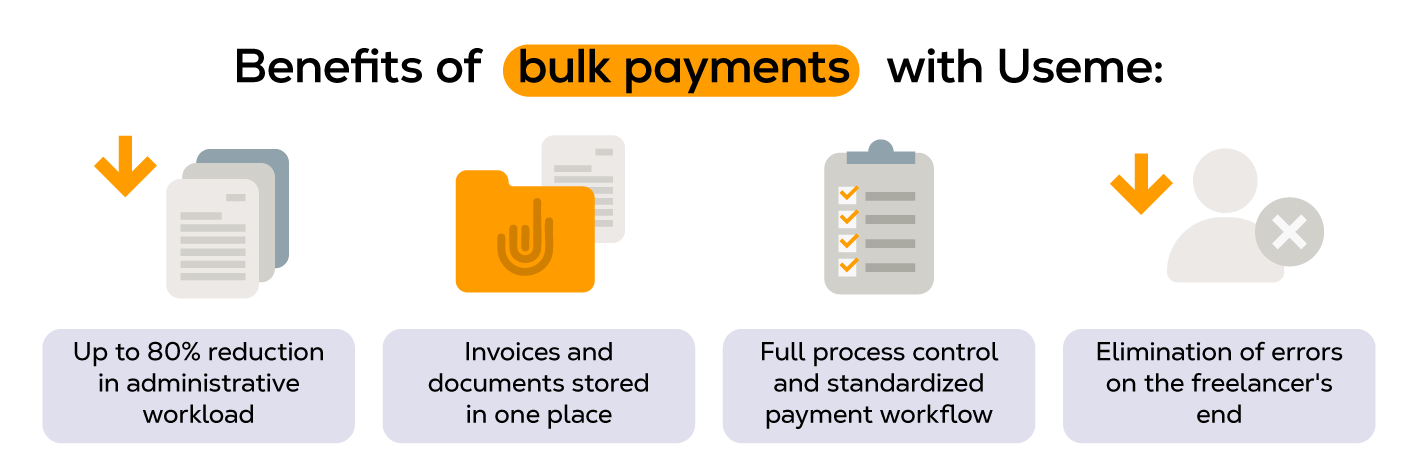
Bulk payments do much more than reduce the number of clicks needed to send money. They help businesses build a payment process that can grow alongside their workforce, while giving finance teams better control over outgoing payments.
Save time on repetitive business operations
Processing payments one by one is manageable when you work with a handful of contractors. As your business grows, however, every additional payment adds another manual task – reviewing details, authorizing transfers, and updating records.
Bulk payments replace dozens or hundreds of individual actions with a single payment run. Every hour spent on manual data entry is time and money that could go toward higher-value financial operations instead. That means less time spent on administration and more time for work that creates value, whether that’s financial planning, vendor management, or supporting business growth.
Lower administrative and transaction costs
Every manual payment comes with a cost. Even if transaction fees remain the same, finance teams still spend valuable time preparing, reviewing, and reconciling individual transfers. Businesses that move away from paper checks toward electronic bulk payments can cut costs significantly.
By consolidating payments into one workflow, businesses can reduce administrative effort and, depending on the provider and payment method, lower processing costs through bulk pricing or fewer banking fees. Some providers offer volume discounts as transaction volume increases, which can lower per-payment costs further for high-volume senders.
The bigger the payment volume, the greater the potential savings.
Reduce the risk of payment errors
Manual processes leave room for mistakes. A mistyped account number, duplicate payment, or incorrect amount can delay payments and create unnecessary follow-up work. Incorrect setups, such as a wrong routing number or an outdated recipient profile, are one of the most common causes of these payment errors.
Bulk payment platforms often include built-in validation tools that flag missing information, duplicate entries, or formatting issues before payments are sent. These automated validation checks are designed to catch errors, such as duplicate entries or missing fields, that can be easy to miss during a manual review. Some platforms also include fraud detection tools that flag unusual payment patterns before funds leave your account.
Simplify reconciliation and financial reporting
Reconciling hundreds of individual payments can quickly become one of the most time-consuming tasks for finance teams.
Bulk payments centralize payment information, making it easier to match transactions with invoices, review payment history, and prepare financial reports. Because each batch generates its own set of records, matching payments to the right invoices becomes way simpler than reconciling scattered individual transfers.
Connecting your accounting system to your payment platform makes this even easier, since transaction data flows in automatically instead of requiring a manual export. Instead of matching multiple transactions to invoices one by one, teams can review everything in a single batch summary, then resolve inconsistencies more efficiently.
Scale without growing your finance team
A payment process that works for ten contractors rarely works for one hundred.
Bulk payments allow businesses to increase payment volume without increasing the amount of manual work. As transaction volume rises, a scalable bulk payment system lets business operations keep running smoothly without adding headcount to the finance team. Whether you’re onboarding new freelancers, expanding into international markets, or managing seasonal hiring, the same workflow can support significantly more recipients.
Improve visibility and control
When payments are handled through one centralized process, it’s easier to understand what’s been approved, what’s scheduled, and what’s already been paid.
Many bulk payment solutions also provide dashboards, payment tracking, approval workflows, and reporting tools that give finance teams a clearer picture of outgoing cash flow. Better visibility supports more informed budgeting, forecasting, and working capital management.
Build trust with freelancers and contractors
This is one benefit that’s often overlooked.
Independent contractors rely on timely, accurate payments just as employees rely on payroll. Delays, inconsistent payment dates, or payment errors can damage relationships and make it harder to retain top talent. Consistent supplier payments matter just as much as contractor payments for maintaining strong vendor relationships.
A structured bulk payment process helps ensure contractors are paid on time and according to schedule. Over time, that consistency strengthens trust, improves the contractor experience, and reinforces your reputation as a reliable client.
Challenges of bulk payments (and how to avoid them)
Bulk payments can save hours of manual work, but simply adopting a new platform doesn’t guarantee a smoother payment process. Success depends on clean data, well-designed workflows, and choosing a solution that fits your business.
Here are the most common challenges – and how to overcome them.
Inaccurate payment information
A bulk payment is only as reliable as the data behind it. Incorrect bank account details, outdated recipient information, or duplicate records can result in failed payments and unnecessary delays. This is a common example of how incorrect setups lead to payment errors. In a batch, one wrong setup can ripple across many transfers instead of affecting just one.
➡️ How to avoid it:
- Verify recipient details before the first payment.
- Regularly review and update contractor information.
- Use platforms that validate payment data before processing.
Integration with existing systems
If your payment platform doesn’t connect with your accounting software, ERP, or invoicing tools, you may end up copying data between systems manually – defeating much of the purpose of automation. Connecting your bulk payment system directly with your accounting software is one of the most effective ways to minimize manual entry and keep records consistent across both systems.
➡️ How to avoid it:
Choose a solution that supports:
- accounting software integrations,
- API connections,
- or simple CSV imports if your payment volume is still relatively low.
The goal is to create one consistent workflow rather than another disconnected process.
Managing international bulk payments
Paying contractors in multiple countries introduces additional complexity. Different currencies, payment rails, processing times, and local banking requirements can all affect when – and how much – recipients receive. This is where international bulk payments differ most from domestic ones: recipients rarely share the same currency, and delivery times can vary widely by country. International bulk payments also typically require additional recipient details, such as SWIFT/BIC codes and IBAN numbers. These route funds correctly through the international banking network.
➡️ How to avoid it:
Before choosing a provider, check:
- supported countries and currencies,
- available payment methods,
- exchange rate policies,
- currency conversion fees,
- and estimated delivery times.
If you regularly work with international contractors, these factors can have a bigger impact than the transaction fee alone.
Useme takes a different approach to this challenge for businesses hiring freelancers abroad. Instead of asking you to collect SWIFT/BIC codes and IBAN numbers and manage the transfer yourself, you pay Useme, and Useme forwards the money to the freelancer in their preferred currency – handling the cross-border compliance on your behalf. Useme processes freelance payments in around 170 countries, and freelancers typically receive their payout within 24 hours after your payment clears.
All you need to do is fill out a form and pay via a link sent to your email. The process is the same regardless of where the freelancer is based.
💡 For a deeper look at how correspondent banking, SEPA, and fintech rails compare, see our guide to cross-border payment systems.
Compliance and security
Handling large payment files means managing sensitive financial data. Businesses also need to comply with applicable tax, anti-money laundering (AML), and payment network requirements.
➡️ How to avoid it:
Look for platforms that offer:
- encrypted data transmission,
- multi-factor authentication,
- role-based permissions,
- approval workflows,
- and detailed audit logs.
Good security practices protect both your business and your contractors while helping reduce the risk of fraud.
Team adoption
Even the best payment solution won’t deliver results if people don’t use it correctly. New approval processes or unfamiliar tools can slow adoption and create frustration. Making payments through a new system for the first time can feel unfamiliar, which is why gradual rollout matters.
➡️ How to avoid it:
Roll out the new process gradually:
- train finance and operations teams,
- document the workflow,
- start with smaller payment runs,
- and gather feedback before expanding to all payouts.
Clear documentation and training also help teams trust new financial processes instead of falling back on old habits.
A phased implementation usually leads to fewer mistakes than switching everything overnight.
Choosing a solution that’s too simple – or too complex
Not every business needs enterprise-grade payment software. At the same time, a basic tool may struggle to support a rapidly growing contractor network.
➡️ How to avoid it:
Consider both your current needs and where your business is headed over the next few years. A scalable solution should handle higher payment volumes without forcing you to redesign your entire finance process as your contractor base grows.
How bulk payments work
How many payments your business processes each month often determines which step in this workflow needs the most attention.
Although every payment platform has its own interface, most bulk payment workflows follow the same basic process. The goal is simple: prepare payment information once, review it carefully, and let the system handle the individual transfers.
Step 1: Gather payment information
The process starts with collecting the information needed for every recipient, including:
- recipient names,
- payment amounts,
- bank account or payment details,
- invoice or reference numbers,
- payment dates.
Depending on the platform, this information can be entered manually, uploaded in a spreadsheet, or imported automatically from accounting or invoicing software. Whether you’re building bulk lists from scratch or pulling them from existing records, accuracy here matters more than speed – since one wrong field can multiply into many failed transfers once it’s part of a larger batch.
Step 2: Review and validate the data
Before any money moves, the payment file should be checked for potential issues.
Many bulk payment platforms automatically verify that required fields are complete, flag duplicate payments, and identify formatting errors or invalid account details. This is also a good stage to set transaction limits, so unusually large payments are automatically flagged for extra review. Batch limits vary by provider.
If you’re paying contractors internationally, the platform may also perform additional compliance checks before processing the payment.
Step 3: Approve the payment run
Once the payment list has been reviewed, it’s ready for approval.
Many businesses use approval workflows to ensure payments are reviewed before they’re released. For example, a finance specialist might prepare the payment batch, while a manager or finance director gives the final authorization.
This extra layer of oversight helps reduce the risk of errors and unauthorized payments without slowing down routine operations.
Step 4: Process the payments
After approval, the payment platform sends each transfer using the appropriate payment method. In the US, many providers use the automated clearing house (ACH) network for domestic transfers. Businesses are increasingly making that switch: Nacha reported that business-to-business ACH volume grew almost 10% in 2025, reaching close to 8.1 billion payments, as more companies move away from paper checks.
- ACH payments typically settle in one to two business days and are generally less expensive than wire transfers, making them a common choice for routine domestic payments.
- Recipients on real-time or same-day payment rails, where available, can see funds arrive within hours.
- Standard transfers may take one to two business days or longer, depending on the recipient’s bank.
Although you initiate the payments in one workflow, every recipient receives an individual transaction. Depending on the provider, payments may be processed immediately or in scheduled batches, and recipients may receive funds through different payment rails based on their location.
Step 5: Track payment status
Modern payment platforms typically provide real-time visibility into payment progress.
Instead of checking each transfer separately, finance teams can monitor the entire payment run from a single dashboard, making it easier to identify completed, pending, or failed payments and respond quickly if any issues arise.
Step 6: Reconcile and keep records
The final step is updating your financial records.
Once payments are complete, transaction data can be matched with invoices, accounting records, and bank statements. Reconciling bulk transactions afterward is far simpler than tracking each wire individually. Because bulk payments produce individual batch records for every recipient, this step tends to be more straightforward than reconciling invoicing done through separate, unrelated transfers. Many platforms automate part of this process, reducing manual reconciliation and creating a clear audit trail for future reporting.
At a glance
A typical bulk payment workflow looks like this:
Collect payment data → Validate information → Approve payments → Send funds → Track payment status → Reconcile transactions
While the workflow itself is straightforward, automating these steps can dramatically reduce the time spent on repetitive payment administration – especially for businesses managing a growing network of freelancers and contractors.
Common use cases for bulk payments
Any business that regularly pays multiple people can benefit from bulk payments. While they’re often associated with payroll, they’re equally valuable for companies working with freelancers, suppliers, partners, or customers.
Here are some of the most common use cases.
Paying freelancers and independent contractors
For businesses with distributed teams, contractor payments are one of the biggest drivers of bulk payment adoption.
Instead of sending dozens of individual transfers every billing cycle, finance teams can process all approved contractor payments in a single workflow. This is particularly useful for agencies, software companies, marketing teams, and businesses that hire specialists on a project basis.
💡 For a closer look at setting payment terms, choosing rate structures, and staying tax-compliant with contractors, see our guide on how to pay independent contractors.
Supplier and vendor payments
Businesses often receive invoices from multiple suppliers with similar payment deadlines. Instead of settling multiple bills one at a time, finance teams can batch them together and pay everyone by the same deadline.
Bulk payments make it possible to settle those invoices together, helping finance teams stay organized while ensuring vendors are paid on time. Whether you need to pay vendors weekly or monthly, a consistent bulk transfer process keeps due dates from slipping through the cracks. A consistent payment process can also strengthen supplier relationships and reduce the risk of missed due dates.
Payroll
Payroll is one of the longest-standing examples of bulk payments.
Rather than issuing each salary individually, employers prepare a payroll file that distributes wages to every employee as part of a single payment run. Direct deposit is a common way for US companies to pay employees as part of payroll, and the same infrastructure can often support contractor payments too. The same approach can also be used for bonuses, commissions, or expense reimbursements.
💡 If your payroll run includes staff based outside the US, our guide on how to pay international employees walks through the setup options – from local entities to Employer of Record arrangements.
Affiliate, partner, and creator payouts
Companies running affiliate programs, referral campaigns, or creator partnerships may need to pay hundreds of participants at regular intervals.
Bulk payments simplify this process by allowing commissions and rewards to be distributed automatically, even when recipients are located in different regions.
Marketplace and platform payouts
Online marketplaces and digital platforms often process payments for large numbers of independent sellers or service providers.
Whether it’s a freelance marketplace, a delivery platform, or a booking service, bulk payments help automate recurring payouts while reducing the administrative burden on finance teams.
Customer refunds and incentive payments
Businesses also use bulk payments when money flows in the opposite direction.
Retailers, travel companies, and subscription businesses can issue refunds to many customers at once after cancellations or service disruptions. Insurance companies settling insurance claims for many policyholders after a shared event, like a natural disaster, face this same challenge at scale. Similarly, organizations running research studies, rebate programs, or promotional campaigns can distribute incentives efficiently without processing every payment individually.
How to choose a bulk payment solution
Not every bulk payment platform offers the same capabilities. Some are designed for simple domestic transfers, while others support international payouts, approval workflows, and integrations with finance systems. When comparing providers, make a list of the bulk payment features that matter most to your business, and check how easily you can integrate bulk payments into tools you already use.
Before choosing a solution, think about both your current needs and where your business is headed. A platform that works for 20 contractors today should still support your operations if you’re managing 200 next year.
Here are the key factors to consider.
Payment methods and geographic coverage
Start with the basics: can the platform pay everyone you work with?
If your contractors or suppliers are based in multiple countries, look for support for the payment methods and currencies they prefer. Bulk payment services should let you send payments across borders. You shouldn’t need to open a new bank account in every country you operate in. The broader the coverage, the less likely you’ll need multiple payment providers as your business grows.
Can you automate and integrate bulk payments
One of the biggest efficiency gains comes from reducing manual work.
Look for a solution that integrates with your accounting software, ERP, or invoicing platform. For larger companies processing high transaction volumes, API integrations can automate the entire payment chain. This covers everything from invoice approval to the final transfer, with little manual intervention. If a direct integration isn’t available, CSV imports or API access can still help automate much of the payment process. For accounts payable teams, this level of automation also makes it easier to manage working capital, since payment timing becomes more predictable.
The less data your team has to enter manually, the lower the risk of errors.
Approval workflows
As payment volumes increase, it’s important to maintain oversight without slowing everything down.
Choose a platform that allows you to define approval rules – for example, requiring manager approval for payments above a certain amount or separating payment preparation from final authorization.
This helps strengthen internal controls while keeping routine payment runs efficient.
Check transaction limits early
Batch limits vary by provider, so it’s worth confirming the cap before you commit. Useme, for example, offers a group payments feature that lets you settle multiple freelancer deals with a single bank transfer – you select the deals you want to pay, and Useme generates one combined preliminary invoice covering all of them. Once that invoice is paid, each deal is settled separately, and every freelancer receives their payment individually.
💡 Learn more about how to use group payments.
Security and compliance
Payment platforms handle sensitive financial information, so security should never be an afterthought.
Look for features such as:
- encrypted data transmission,
- multi-factor authentication,
- role-based user permissions,
- audit logs,
- and compliance with relevant financial and data protection requirements.
Strong security protects both your business and the people you’re paying.
Reporting and payment tracking
Being able to see the status of every payment in one place can reduce the time your team spends checking multiple systems.
A good bulk payment solution should make it easy to:
- monitor completed and pending payments,
- identify failed transactions,
- generate reports,
- and reconcile payments with your accounting records.
This visibility becomes increasingly valuable as payment volumes grow.
Transparent transaction fees
The cheapest option isn’t always the most cost-effective.
When comparing providers, consider the total cost of using the platform, including:
- transaction fees,
- currency conversion charges,
- subscription costs,
- implementation fees,
- and any additional charges for international payments or premium features.
Fees for bulk payments can vary significantly from one provider to the next. It’s worth comparing total cost across a few options rather than assuming pricing is standardized across the industry.
Understanding the full pricing model upfront can help you avoid unexpected costs later.
Ease of implementation
Even the best software won’t deliver value if it’s difficult to adopt.
Look for a provider that offers clear documentation, onboarding resources, responsive customer support, and a straightforward implementation process. A platform that’s easy to learn will help your team start realizing the benefits sooner.
Processing time
Payment speed varies a lot between providers. Check with each provider about their typical processing time before you commit. Find out if it’s the same for domestic and international payments, and whether weekends or public holidays cause delays. Some platforms also offer faster processing for an extra fee, which can be useful when you’re on a tight deadline.
Keep in mind that processing time isn’t only about the platform. Banks on the receiving end can add their own delays, especially for cross-border transfers. A realistic estimate should account for both.
A quick evaluation checklist
Before making a decision, ask yourself:
If the answer to most of these questions is “yes,” you’re likely looking at a solution that can support your payment operations for the long term.
Conclusion
Bulk payments help businesses replace repetitive, manual work with a more efficient and scalable process. By sending multiple payments through a single workflow, companies can save time, reduce errors, improve financial visibility, and keep pace as their contractor network or supplier base grows.
The right solution, however, does more than process payments. It should fit into your existing workflows, support the countries and payment methods you need, provide strong security and reporting, and make it easier to manage payments from start to finish.
For businesses working with freelancers and independent contractors, reliable payouts are also an important part of building lasting professional relationships. Paying people accurately and on time strengthens trust and helps create a better experience for everyone involved.
FAQ
What’s the difference between a bulk payment and a mass payment?
The terms are largely interchangeable. Both describe sending payments to many recipients in one workflow, rather than one at a time.
Is a bulk payment the same as a wire transfer?
No. A bulk payment is a workflow that groups many payments together. Wire transfer, ACH, and direct deposit are all payment methods a bulk payment can use to move the money.
Can I send bulk payments to contractors in other countries?
Yes, but international bulk payments usually need extra recipient details, like SWIFT/BIC codes and IBAN numbers, and delivery times vary by country and currency.
What happens if a bulk payment fails for one recipient?
Because each recipient gets an individual transaction record, a failed payment usually only affects that one transfer – not the rest of the batch.
This article was created with the assistance of AI technology.
| Author: Ela Binkowska |