

Marketing teams are under pressure. They must publish more content, analyze more data, and personalize more campaigns than ever before. At the same time, budgets and headcount often stay the same. That’s why using an AI assistant for marketing workflows is quickly becoming standard practice.
A 2024 report by McKinsey found that marketing and sales are among the functions seeing the highest productivity gains from generative AI, with some organizations reporting revenue increases of up to 15% from AI-assisted personalization. So the question is no longer “Should we use AI?” It’s “How do we use it in a smarter, more strategic way?”
In this guide, we’ll explore practical uses, Claude prompts for marketers, implementation strategies, and ways to get the most value from Claude AI for marketing.
Claude AI for marketing: key takeaways
- Claude works best when you give it real context: brand guidelines, CRM exports, past campaigns, and customer data.
- The most practical use cases include drafting content, analyzing CRM data, researching competitors, and personalizing email campaigns.
- Effective implementation requires clear human–AI role separation, clean data, and structured templates.
- Writing effective Claude prompts for marketers is one of the highest-impact skills you can develop – better prompts mean better, faster output.
- Pairing Claude with skilled freelancers gives you the speed of AI and the judgment of an experienced specialist.

What is Claude AI?
Claude AI is a language model developed by Anthropic, a U.S.-based AI research company focused on building safe and reliable artificial intelligence. It was built with an emphasis on accuracy, helpfulness, and context awareness. It can handle complex, multi-step tasks – making it a genuine AI assistant rather than just a text generator.
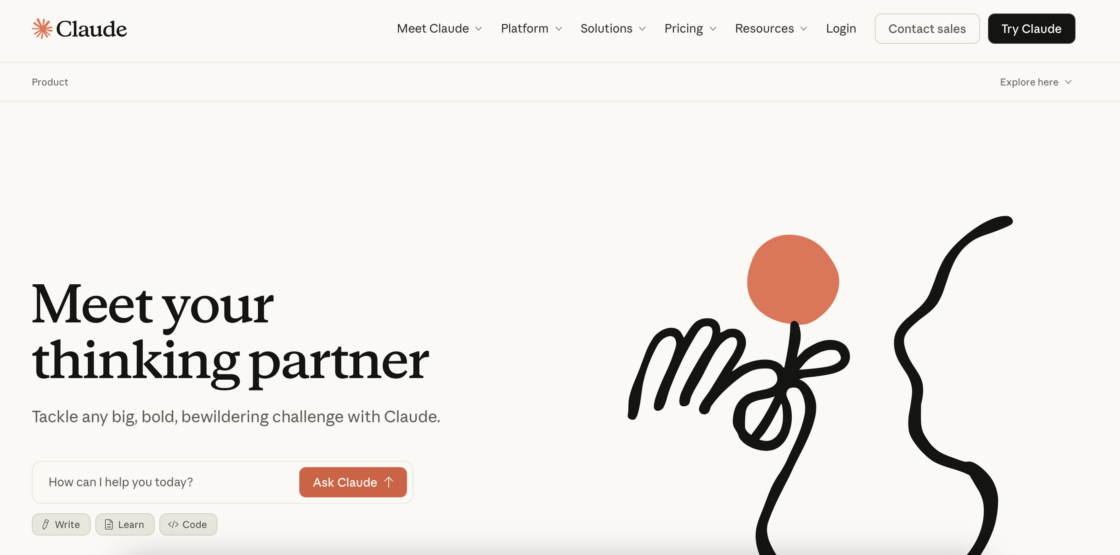
Claude comes in several versions, each optimized for different tasks – from lightweight everyday use to complex, large-scale analysis. Anthropic also offers specialized tools like Claude Code for developer workflows, though for marketing purposes, the core Claude models are what you’ll use most.
How does Claude compare to other AI tools for marketing?
Claude AI for marketing isn’t a standalone choice – there are several strong alternatives worth comparing. Here’s how it compares to the most common alternatives:
| Feature | Claude | ChatGPT (GPT-4) | Gemini | Jasper |
| Context window | Long (up to 200K tokens) | Long (128K tokens) | Very long (1M tokens) | Limited |
| Brand voice consistency | Strong with projects | Good with custom instructions | Moderate | Strong with templates |
| Data analysis | Yes, via natural language | Yes, with Code Interpreter | Yes, with integrations | Limited |
| Multilingual support | Strong | Strong | Strong | Moderate |
| Best for | Long-form strategy and analysis | Versatile everyday tasks | Google Workspace users | Template-driven content |
Note: AI tools update frequently. Always check the latest documentation before choosing your AI assistant.
Claude’s key features for marketing teams
Once we know how Claude compares to other AI tools, let’s take a look at Claude’s features that help marketers work faster and smarter:
- Long document analysis – summarizes strategy docs, CRM exports, and transcripts to uncover insights;
- Natural language data analysis – turns complex numbers and reports into clear recommendations;
- Multilingual content generation – supports global marketing efforts without losing tone or accuracy, supporting campaign translation and localization;
- Project-based workflows – retains context across tasks so content, insights, and strategy stay coherent. Using Claude Projects, you can organize all your context materials and apply the best available models to your specific marketing goals;
- Enterprise-grade privacy controls – keeps data secure, which matters when you’re working with sensitive customer information.
💡Have you heard about Claude Skills? It’s a set of instructions that teaches AI how to do one task your way – so you get the same result every time. Learn more from our article: How to use Claude Skills: a guide for freelancers and businesses (2026).
Core use cases of Claude AI for marketing
Claude AI is a versatile content tool and AI assistant that can support marketing teams, freelancers, and founders across nearly every stage of a campaign. Here’s how you can apply it effectively.
| Use case | What Claude does | Best for |
| Content creation | Drafts blog posts, ad copy, social carousels | Content marketers, writers |
| Email marketing | Writes personalized sequences and lifecycle flows | Email marketers |
| CRM and data insights | Analyzes datasets, summarizes KPIs | Analysts |
| Market research | Processes feedback, generates personas | Strategists, researchers |
| Campaign strategy | Builds briefs, outlines, and A/B test plans | Marketing managers |
| Social media | Drafts social media posts, repurposes content | Social media managers |
| Multilingual marketing | Translates and localizes campaigns | Global teams |
1. Content creation and optimization
Claude can speed up content production while keeping your messaging consistent and on-brand. Content marketers and freelance content writers can use it to:
- draft blog posts, landing pages, and ad copy quickly;
- repurpose long-form content into social media posts or email campaigns;
- align tone and style using structured brand templates;
- generate SEO-friendly headlines and article outlines;
- build out a content library of reusable assets across campaigns;
- generate SEO-driven blog posts, email marketing campaigns, and social media carousels ready for publishing.
🔎 Want to explore other AI copywriting tools? Read our article Best AI copywriting tools: how to write faster without losing quality.
2. Lifecycle and email marketing
Claude simplifies email and lifecycle marketing by generating personalized, campaign-ready content:
- welcome and onboarding sequences for new users;
- retention campaigns to re-engage existing customers;
- re-engagement flows for inactive segments;
- personalized messages based on CRM data;
- segment-specific messaging based on customer behavior data, designed for higher engagement rates.
Freelance email marketers can combine Claude’s drafts with automation tools and A/B testing for better results. Another great thing is that Claude can write personalized emails by incorporating real user data and attributes, making each message feel tailored rather than templated. And it matters in business, since personalized email campaigns generate 139% higher click rates than non-personalized ones – making Claude’s ability to tailor messages at scale particularly valuable.
Not to mention, Claude can also help diagnose campaign drop-off by analyzing performance data and suggesting adjustments to content or pacing – turning a struggling sequence into one that converts.
3. CRM and marketing data insights
Claude can analyze datasets exported from platforms like HubSpot, Singular, and Customer.io – turning raw data into actionable insights without needing SQL or Python skills.
It can help you:
- prioritize leads based on engagement and behavior;
- evaluate campaign performance across channels;
- detect creative fatigue or underperforming assets;
- recommend audience segments for targeting;
- summarize revenue trends and ROI in plain language;
- identify high-value deal patterns in CRM data and create personalized outreach at scale;
- generate personas based on segment behaviors to inform more targeted marketing strategies.
The integration emphasizes speed and simplicity. You can use natural language queries to assess campaign effectiveness and ad performance – and respond to market changes without waiting on a data analyst.
4. Market research and customer insights
Claude can help process qualitative and quantitative data more quickly than manual analysis in many cases:
- summarize user interviews and survey responses;
- analyze competitor messaging and content strategy – Claude can synthesize competitor marketing strategies and surface actionable insights in a fraction of the time it would take manually;
- generate customer personas;
- conduct sentiment analysis across social media and reviews.
One underused application is feeding Claude raw customer feedback – from reviews, support tickets, or survey data – and asking it to surface common themes. Claude can analyze user interviews, identify the emotional language customers use, and generate campaign ideas directly from those pain points. This kind of analysis often can take hours manually but just a few minutes with the right prompt.
5. Campaign strategy and planning
Claude can support the strategic side of marketing by:
- helping build cohesive campaigns across multiple channels;
- drafting campaign briefs and messaging frameworks;
- suggesting audience segments and testing ideas;
- recommending budget allocation and A/B test variations;
- creating structured outlines for marketing narratives that connect product details to broader brand stories;
- automating multi-step workflows to improve targeting and reduce manual coordination.
By combining Claude’s data analysis with human expertise, teams can optimize campaigns from planning to execution. And this could be just what helps your team stay ahead of market changes.
6. Social media and thought leadership
For content creators and social media managers, Claude can:
- generate social media post drafts using defined style templates;
- repurpose podcast transcripts or blog content into social snippets;
- build content calendars aligned with campaign goals;
- maintain a consistent voice across platforms.
LinkedIn posts are a good example of where Claude shines. You can give it a transcript, a list of talking points, or even rough notes – and it’ll generate a polished post in your brand voice. This is especially useful for freelancers managing multiple client accounts.
7. Multilingual marketing and global reach
Claude AI for marketing supports multiple languages, making it easier to:
- translate and localize content for international audiences;
- maintain consistent brand voice across regions;
- analyze multilingual market data for trends and insights.
Businesses expanding globally or freelancers working with international clients can benefit from Claude’s ability to handle diverse markets efficiently.
Claude prompts for marketers: how to get better results
One of the most practical skills any marketer or freelancer can develop is writing effective prompts for Claude. The right prompt separates a generic output from something genuinely useful.
Here are a few principles to work smarter with Claude:
- Be specific about the format
Instead of “write a post,” say “write a 150-word LinkedIn post with a question at the end to drive comments.” - Include product details
Tell Claude what you’re promoting, who the audience is, and what action you want them to take. - Give it more detail when needed
For complex tasks like campaign briefs or persona development, provide background context – past campaign results, tone preferences, and audience data. - Use examples in your prompt
Pasting real examples of past content that performed well helps Claude match your style more accurately. - Specify voice and tone
Paste in your brand guidelines or describe your voice in plain language.
Prompts that include real context and specific details consistently yield better results than generic ones. The more grounded your input, the more useful the output.
Most people start with vague prompts and get vague results. The fix is just adding more context upfront. Think of it like briefing a new contractor – the more clearly you explain the job, the better the output.
🔎 Any content marketers here? Dive deeper into prompting with our article on AI prompts for copywriting: 10+ ready-to-use prompts to write better content.
How to implement Claude AI in a marketing workflow
Using Claude effectively requires more than opening a chat and typing a prompt. The real value comes from treating Claude as a structured AI assistant – not a shortcut – and building a proper workflow around it. Here’s a practical approach for businesses and freelancers.
Step 1: Identify repetitive or data-heavy tasks
If you want to use Claude AI for marketing, start by reviewing your current workload. Look for tasks that are time-consuming, manual, data-heavy, or repetitive.
Common examples include weekly or monthly reporting, first drafts of blog posts or emails, persona development, and CRM data analysis.
These are strong candidates for AI support. Claude can draft, summarize, and analyze – freeing you up to focus on strategy and optimization. The goal is to use AI to handle the busywork so your team can spend more time on strategy and creative tasks.
Step 2: Prepare a clean context
Claude AI for marketing performs best when it has access to relevant information. Before using it regularly, gather key materials such as brand guidelines, customer research, CRM exports, campaign history, product documentation, and customer reviews.
Think of it like onboarding a new team member. Give it enough information to understand your product, audience, and tone – but don’t overwhelm it with unnecessary files.
Organize this context inside a dedicated project. This helps Claude stay aligned with your brand and produce more accurate output over time.
Step 3: Define human vs. AI roles
Clear role separation prevents confusion and poor results.
AI handles: drafting content, summarizing documents, identifying patterns in data, generating variations for testing, and automating multi-step workflows.
You and your team handle: strategy and positioning, editing and refining, ensuring compliance and brand accuracy, and final decision-making.
Claude can speed up production, but it shouldn’t replace judgment. Human oversight is crucial for ensuring accuracy and brand alignment in all generated content.
Step 4: Integrate with your existing stack
Claude delivers more value when connected to the tools you already use – CRM systems, analytics platforms, and content management systems.
When Claude is integrated with real data from your marketing platforms, the insights it generates become far more tailored and actionable. The more data systems you connect, the sharper Claude’s recommendations become. You can ask direct questions about campaign performance, customer behavior, or revenue trends – without exporting and reformatting data manually.
Step 5: Use templates for better output
To improve consistency, create simple frameworks: a writing style template, a post structure template, and a brand voice guide.
For instance, define a specific LinkedIn post format and pair it with a clear description of your brand tone. When Claude combines both, the output becomes far more consistent and usable.
Templates reduce guesswork and make collaboration between AI and freelancers smoother.
Step 6: Train your team and iterate
Implementation isn’t a one-time setup. It requires teaching team members how to write clear instructions, developing editing standards, and creating feedback loops to improve results.
Start small. Choose one or two high-impact use cases. Measure time saved and performance improvements. Then expand gradually.
When marketers treat Claude as a structured assistant – not a shortcut – they see stronger results.
Claude AI for marketing: quick-start checklist
Use this before you launch your first Claude AI for marketing campaign:
☐ Collect your brand guidelines, tone of voice document, and past campaign examples.
☐ Export relevant CRM or analytics data and clean it for accuracy.
☐ Set up a Claude Project and upload your context materials.
☐ Define which tasks AI will handle and which your team will own.
☐ Create at least one writing template (for example, a social media post format or email structure).
☐ Run a test prompt and review the output for brand alignment.
☐ Set a feedback loop: review AI output weekly and refine your prompts.
Risks and considerations when using Claude AI for marketing
Just because Claude can significantly improve marketing efficiency, it’s not a plug-and-play solution. Like any powerful tool, Claude AI for marketing requires thoughtful implementation and oversight.
1. Maintaining brand authenticity
AI-generated content can sound polished – but that doesn’t guarantee it reflects your brand. Without clear guidelines, output may drift from your tone, values, or positioning. So provide detailed brand voice documentation, use structured templates, and implement a human review process. And remember, Claude should support your messaging, not define it.
2. Input data quality
Claude’s output depends heavily on the quality of the input. If your CRM exports are outdated, inconsistent, or incomplete, the insights will reflect those flaws. Clean and organize your data, break down internal silos, and standardize formats where possible.
3. Managing expectations
AI can speed up workflows – but it doesn’t replace strategic thinking. Effective adoption is gradual. Teams need time to test use cases, refine prompts and context, and adjust workflows. Starting with focused, measurable goals helps build momentum.
4. Skill development and change management
Working with Claude requires new skills – writing structured instructions, evaluating AI output critically, and designing human–AI workflows. When positioned correctly, Claude becomes a productivity tool that lets marketers focus more on strategy, creativity, and optimization.
5. Ethical and transparency considerations
AI use in marketing raises important questions:
- Should audiences know when content is AI-assisted?
- How do you ensure messaging stays inclusive and accurate?
- Who’s accountable for mistakes in AI-generated output?
Define internal policies around transparency and oversight. Human review should remain mandatory for all customer-facing communication.
The future of Claude AI for marketing
Knowing all that, the question remains – what’s the future of Claude AI for marketing? Its capabilities are evolving quickly – that’s for sure. And that’s why, you can already tell today that the role in marketing will likely expand far beyond drafting content or summarizing data.
Multimodal marketing workflows
Future AI tools will increasingly work across multiple formats at once – written content, visual assets, and campaign performance data. Marketers may soon build campaigns where messaging, visuals, and analytics are interpreted together, creating more cohesive strategies across blogs, ads, social media, and email.
Predictive personalization
As Claude processes larger datasets from CRM systems and analytics platforms, it’ll get better at identifying patterns in customer behavior. You’ll be able to generate content and messaging tailored to specific audiences, preferences, and stages of the customer journey. Instead of static segments, campaigns could adapt dynamically – a level of responsiveness to market changes that takes personalization to a new level.
Deeper CRM and marketing stack integrations
Claude is already being connected to CRMs, analytics systems, and automation tools. In the future, these integrations may let marketers ask natural-language questions about campaign performance, generate reports instantly, and receive strategic recommendations based on internal data.
AI-augmented creative teams
AI won’t replace marketing professionals – it’ll reshape how teams work. Creative teams may increasingly rely on Claude to generate first drafts, summarize research, analyze campaign results, and brainstorm variations. Human marketers will remain responsible for strategy, brand direction, and creative judgment.
The rise of AI-literate freelancers
As AI tools become part of everyday marketing workflows, demand for professionals who know how to work with them will grow. If you run your own business, working with freelancers who are skilled at using Claude is a genuine game changer. You get the speed of AI combined with the judgment and creativity of an experienced specialist.
In the long term, Claude and similar systems will likely become embedded across the entire marketing stack – from research and planning to campaign optimization. Companies that learn to collaborate with AI effectively will be better positioned to adapt as the technology continues to evolve.
Useme: AI-powered experts at your fingertips
If you’re looking for a head start, platforms like Useme make it easy to find freelancers who already bring both marketing expertise and AI skills to the table.
Useme’s database includes thousands of specialists across marketing disciplines – including freelancers who already work with AI tools like Claude every day. That combination of human expertise and AI fluency is exactly what modern marketing teams need. Browse profiles, compare experience, and hire with confidence – no subscription required.
Work with AI-powered freelancers.

Conclusion: should I use Claude AI for marketing?
AI tools are quickly becoming a core part of modern marketing workflows, and Claude AI for marketing is one of several advanced AI assistants used in marketing today. Its ability to generate content, analyze data, summarize research, and support campaign planning makes it valuable across many areas of marketing.
The real value of Claude doesn’t come from automation alone – it comes from collaboration. When marketers combine AI-generated drafts and insights with human strategy, creativity, and brand knowledge, the results are far more effective.
For businesses, this means faster workflows, better use of marketing data, and more room to focus on high-level decisions. For freelancers and independent specialists, it creates new opportunities to deliver results more efficiently while offering strategic expertise that AI can’t replace.
FAQs on Claude AI for marketing
Is Claude AI good for marketing?
Yes. Claude is well-suited to a wide range of marketing tasks – from drafting blog posts and LinkedIn posts to analyzing CRM data and building campaign strategies. Its ability to retain context and follow structured templates makes it especially effective for teams working with brand guidelines and large volumes of content.
Do I need technical skills to use Claude?
No. Claude is designed for non-technical users. You don’t need to know how to code or write SQL queries. You interact with it in plain English – just like messaging a colleague. The setup steps below will walk you through everything.
How does Claude compare to other LLMs?
Compared to other LLMs, Claude AI for marketing tends to excel at handling long documents, maintaining context across complex tasks, and following detailed instructions accurately. Marketers often find it produces cleaner first drafts that need less editing, particularly when given strong context upfront.
Can Claude analyze CRM data?
Yes. You can input CRM exports directly into Claude and ask questions in plain language. It can summarize trends, identify high-value segments, flag underperforming campaigns, and suggest next steps – all without needing SQL or a dedicated analyst.
Is Claude secure for enterprise marketing use?
Anthropic offers enterprise plans with additional privacy and data management features. For specific security requirements, review Anthropic’s current documentation and consult your legal or compliance team.
Can freelancers use Claude for clients?
Absolutely. Freelancers working in content marketing, email, social media, or analytics can use Claude to speed up their workflow significantly. The key is setting up proper context – brand guidelines, past campaign data, audience profiles – so Claude’s output is aligned with each client’s needs from the start.
Is Claude AI free to use?
Claude has a free tier with limited usage. Paid plans – including Pro and Team – unlock higher usage limits, access to more powerful models, and additional features like Claude Projects or Claude Code. Enterprise plans are available for larger organizations. Check the current pricing page at anthropic.com for up-to-date details.
What’s the difference between ChatGPT and Claude AI for marketing?
Both tools can draft content, answer questions, and analyze data. Claude is designed to work with long documents and detailed instructions. ChatGPT has a larger ecosystem of third-party integrations. The best choice depends on your specific workflow and the tools you already use.
This article was created with the assistance of AI technology.
| Author: Ela Binkowska |