

Hiring people across borders is no longer a niche strategy. According to the 2026 Global Workforce Report by Remote.com, 73% of business owners expect more than half of new hires will be international by 2026. This is why searches for a Remote alternative continue to grow. U.S. companies want tools that match how they actually work – whether that means hiring freelancers, paying contractors, or scaling global teams without long-term commitments.
In this guide, we look at the best Remote alternatives available today. We compare different options based on use case, cost, and flexibility, so you can choose a solution that fits your business instead of forcing your business to fit the tool.
Key takeaways
- Remote platform works well for full-time international employees but can be expensive and slow for contractor-based hiring models.
- EOR pricing varies widely: newer providers start at $199/month while established platforms charge $400-$650+ per employee monthly.
- The best platform depends on your hiring model: full-time employees need EOR services, while contractors work better with payment-focused solutions.
- Contractor-first platforms like Useme offer faster onboarding (hours vs. weeks) and lower costs for freelance work.
What is Remote?
Remote.com is widely known as a global employment platform built for companies hiring internationally. Its main strength lies in handling the legal and administrative burden of cross-border employment, especially for full-time roles. For many growing businesses, this makes global expansion possible without setting up local entities.
Still, strong features don’t always mean a perfect fit. To understand whether a Remote.com alternative makes sense, it helps to look at both sides.
The benefits of Remote
Remote.com is designed primarily for international employment. Its core offering centers on Employer of Record (EOR) services, where Remote becomes the legal employer on behalf of the company.
Key strengths include:
- Global employment infrastructure
Global companies can hire full-time employees in many countries without opening local entities. Remote platform handles local labor laws requirements, payroll management, and statutory benefits. The platform functions as a unified platform for employee lifecycle management, covering everything from employment contracts to benefits administration and expense management. - Compliance and risk management
The platform manages taxes, social contributions, and employment regulations. It also offers tools focused on intellectual property protection and worker classification. - Transparent base pricing
Remote publishes its starting prices openly, which isn’t common among EOR providers. This helps companies estimate costs early in the process. - Wholly owned entities
Unlike providers that rely heavily on third parties, Remote operates through its own legal entities in many locations. This can improve consistency and control.
For companies building long-term, full-time teams abroad, these features can be very valuable.
The drawbacks of Remote
Despite its strengths, this platform isn’t designed for every hiring model. Many businesses begin looking for a Remote.com alternative once they run into practical limitations.
Common challenges include:
- High cost for smaller teams
Monthly EOR fees can become expensive, especially for startups or businesses hiring only one or two people abroad. - Pricing concerns and additional charges
While Remote advertises transparent base pricing, some businesses encounter unexpected costs in certain markets. Additional fees for specialized services can make the total cost harder to predict, particularly when expanding into less common regions. - Overkill for contractor-based work
If a company mainly works with freelancers or short-term contractors, a full EOR setup may be unnecessary. - Limited flexibility
Some workflows, documents, or processes cannot be easily customized. This can be restrictive for teams with specific internal requirements. - Coverage gaps in emerging markets
Remote’s strength lies in established markets, but companies expanding into less common regions may encounter limited local presence or longer setup times in those areas. - Support limitations on lower plans
Dedicated account managers and priority customer support aren’t always included. This can slow down issue resolution for smaller customers. The platform operates primarily through a ticket-based system, which some users find less responsive than live support options offered by Remote.com competitors. - Add-on pricing
While base pricing is clear, certain features and services may increase total costs over time. Services such as equity plan management, specialized immigration support, and enhanced IP protection often require additional fees beyond the standard monthly rate.
Remote.com works best when a business fits its model exactly. When it doesn’t, friction tends to appear.
How to choose the right Remote alternative
So, which platform to pick if not Remote? There’s no single “best” platform for every business. The right Remote.com alternative depends on how you hire, who you work with, and what problems you’re trying to solve.
Before comparing tools, it helps to step back and define your actual needs.
Start with your hiring model
The first question is simple: who are you hiring?
Full-time international employees usually require an Employer of Record solution. Independent contractors or freelancers often do not. Mixed teams may need a platform that supports both models without forcing one approach.
- Fully remote work: A fully remote setup allows employees to work from anywhere, typically facilitated by digital collaboration tools and cloud-based systems. This model offers maximum flexibility and access to global talent.
- Hybrid work: Hybrid work involves splitting time between home and a physical office. Some companies maintain decentralized office hubs rather than central headquarters for occasional in-person collaboration, while others use coworking spaces as a middle ground, providing dedicated desks and professional benefits like high-speed internet.
- Freelance and project-based work: Freelancing connects professionals with on-demand projects, enabling businesses to access specialized skills without long-term commitments. This model works well for roles that don’t require daily involvement or can be delivered remotely on flexible schedules.
- Alternative workspaces: Beyond home offices, many remote workers utilize various environments including coworking spaces with shared offices and professional amenities, or public spaces like libraries and cafes that provide free Wi-Fi and diverse work settings.
Understanding which model – or combination of models – fits your business helps you select the right platform and avoid paying for unnecessary features.
Choosing a tool built for the wrong hiring type often leads to higher costs and unnecessary complexity.
Identify must-have features
Every business values different features. Some common examples include payroll processing and timely payments, contractor management and international contractors support, compliance management and compliance automation.
So, if a feature is critical to your daily operations, make sure it’s built into the platform rather than offered as a paid add-on.
Consider speed and flexibility
Some platforms are designed for long-term employment. Others are built for fast onboarding and short-term work.
Ask yourself: How quickly do you need to hire or pay someone? Do your roles change often? Do you work on projects rather than fixed schedules?
If flexibility matters, a lighter, contractor-focused solution may be a better fit than a full EOR platform.
Look beyond the sticker price
Published pricing doesn’t always reflect the final cost.
When comparing a Remote.com alternative, consider monthly fees per worker, extra costs for features, support, or regions, long-term costs as your team grows, and minimum commitments or contract lengths.
A lower base price is not helpful if essential features are locked behind upgrades.
Match the tool to your business stage
Early-stage startups, growing SMBs, and large enterprises have very different needs.
Smaller teams often prioritize simplicity and cost control. Growing companies need scalability and compliance. Larger organizations may require deeper reporting and integrations.
The right choice is the one that fits your current stage – not just where you hope to be later.
Verify regional capabilities and onboarding speed
Not all platforms perform equally across all regions. Consider these practical factors:
- Local infrastructure matters: providers with owned entities and local teams typically handle region-specific challenges more effectively than those relying solely on third-party networks. This becomes critical during tax audits, labor disputes, or complex immigration processes.
- Onboarding speed varies significantly: some providers can onboard contractors within days, while employee onboarding through EOR services may take several weeks, especially in markets where the provider lacks direct presence.
- Regional specialists vs. global generalists: in complex or emerging markets, platforms with deep local expertise often navigate compliance and regulatory challenges more smoothly than those offering broad but shallow coverage.
Companies should confirm onboarding timelines and verify local support capabilities before committing, particularly when expanding into unfamiliar markets.
Comparison table: Remote vs top alternatives
When evaluating Remote.com competitors, consider how each platform handles payroll solutions, compliance requirements, and managing global teams. The best Remote alternative for your business will depend on whether you need EOR services, contractor management, or a hybrid approach to international workforce management.
To make choosing a Remote.com alternative easier, it helps to compare key factors across leading platforms. Below is a concise overview based on hiring focus, pricing, global coverage, onboarding speed, compliance support, and ideal company size.
Comparison table: Remote.com vs leading alternatives
| Platform | Best for | Pricing model | Global Coverage | Speed of onboarding | Compliance | Ideal company size |
| Remote.com | Full-time global employees | Monthly per employee / contractor | 70+ (employees), 170+ (contractors) | Moderate | Very high (owned entities) | SMBs to mid-market |
| Deel | Employees & contractors | Monthly subscription | 150+ | Fast | High | Startups to mid-market |
| Oyster HR | Global employee hiring | Monthly per employee | 180+ | Moderate | High | Growing distributed teams |
| Rippling | HR automation + payroll | Modular subscription | 50+ (EOR) | Moderate | High | Scaling tech companies |
| Papaya Global | Enterprise payroll analytics | Custom enterprise pricing | 160+ | Slower | High | Mid-market & enterprise |
| Useme | Freelancers & contractors | Pay per settlement | Primarily U.S. & EU | Very fast | Contractor-compliant | Startups & SMBs |
| Gusto | U.S. payroll & contractors | Monthly subscription + add-ons | 95+ (contractors) | Fast | Medium | U.S.-based SMBs |
| Multiplier | Affordable global hiring | Monthly per worker | 150+ | Fast | High | SMBs |
| Pebl (formerly Velocity Global) | Complex global employment | Custom pricing | 185+ | Slower | Very high | Enterprise |
| Globalization Partners | Enterprise EOR | % of salary | 180+ | Slower | Very high | Large enterprises |
Pricing note: EOR service costs vary by provider. For reference, Multiplier starts at $400/month, Oyster HR at $599/month, Papaya Global at $650/month, while Gusto’s U.S. payroll starts at $49/month plus $6 per employee.
This side-by-side view helps you pick a Remote.com alternative based on your team size, budget, and hiring model, rather than just brand reputation.
Best Remote alternatives
It’s time to take a closer look at the most relevant Remote.com alternatives. Each tool serves a different type of company, so the “best” option depends on how you hire, where you hire, and how fast you need to move.
1. Useme
Best for: Fast contractor hiring and payments without subscriptions
Useme specializes in contractor management and international contractors. It’s built for companies that work with freelancers, specialists, and short-term contractors. Useme team believes in a simple workflow. That’s why it removes long onboarding, costly subscriptions, and complex setup. This focused approach means enabling businesses to work with freelancers without the overhead of EOR services, local entities, or complex payroll services.
The platform scores 4.4 out of 5 stars on Trustpilot (December 2025). Reviews regularly highlight quick, supportive customer service that responds quickly and helps solve problems without complications.
Why it stands out: Useme offers a simpler alternative to Remote when you don’t need an employer of record. You can start working with a specialist within hours, pay collectively, receive invoices within 48 hours, and avoid monthly platform fees entirely – you’re paying only per settlement.
Tradeoffs: Not designed for full-time employment or EOR. Focused on non-permanent work.
2. Deel
Best for: Companies hiring both employees and contractors globally
Deel is a widely used global employment platform that supports employer of record (EOR) hiring, contractor payments, and compliance management in many countries. Deel provides EOR services in over 150 countries and offers contractor management features, making it one of the most comprehensive platforms available. It’s often chosen by fast-growing startups that want one system for mixed workforce models.
Why it stands out: Deel offers strong global coverage and flexible hiring models, making it a solid Remote.com alternative for teams that expect to transition contractors into full-time roles.
Tradeoffs: Pricing can increase quickly with add-ons. Contractor plans are more expensive than contractor-first tools. Interface can also feel complex for small teams.
🔍 Want to dive deeper into the subject of Deel platform? Check our comparison of 11 best Deel alternatives.
3. Oyster HR
Best for: Global employee hiring with structured compliance
Oyster HR focuses on international employment and EOR services, with tools designed to help companies hire full-time employees across borders while staying compliant with local labor laws. Oyster HR offers EOR services in 180+ countries and focuses on employee experience and retention.
Why it stands out: Oyster emphasizes legal clarity, employment education, and global hiring guidance, which appeals to companies new to international expansion.
Tradeoffs: Limited contractor-only value. This platform’s EOR pricing varies by country. It’s also less suitable for short-term or project-based work.
4. Rippling
Best for: HR automation and internal workforce operations
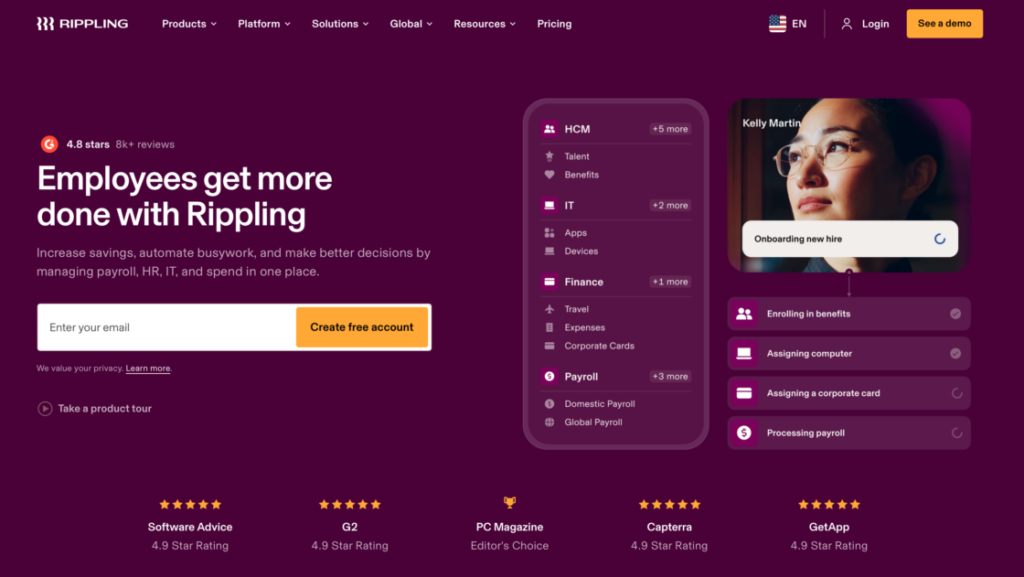
Rippling combines payroll, HR, IT, and app management into one system. Its EOR offering complements a broader HR automation suite rather than standing alone.
Why it stands out: Rippling integrates HR, IT, and finance into a single platform, offering EOR services in over 50 countries. The platform excels at workflow automation and internal system control, making it attractive for U.S.-based companies with complex internal processes. Rippling is known for providing responsive customer service with live support options, which contrasts with ticket-only models used by some competitors.
Tradeoffs: This platform requires annual contracts and can feel heavy for simple payroll needs. Global hiring is not its core focus.
5. Papaya Global
Best for: Data-driven global payroll and reporting
Papaya Global provides international payroll and EOR services with a strong emphasis on analytics, reporting, and workforce insights. Papaya Global’s pricing for EOR services starts at $599 per employee per month.
Why it stands out: Papaya Global is ideal for finance- and operations-led organizations that rely heavily on payroll data, employee data, and reporting across multiple countries. The platform offers extensive global coverage and deep compliance expertise.
Tradeoffs: Pricing is not transparent, and there are no owned legal entities in all regions. It’s less intuitive for small teams.
6. Multiplier
Best for: Budget-conscious global hiring
Multiplier supports employee and contractor hiring in over 150 countries, offering EOR services at a lower price point than many competitors. Multiplier’s pricing starts at $400 per employee per month for EOR services.
Why it stands out: Multiplier’s competitive pricing makes it a strong Remote.com alternative for startups exploring global hiring without enterprise-level costs.
Tradeoffs: There are fewer self-service tools and limited integrations. It’s a less mature platform compared to larger providers.
7. Pebl (formerly Velocity Global)
Best for: Enterprise-scale international expansion
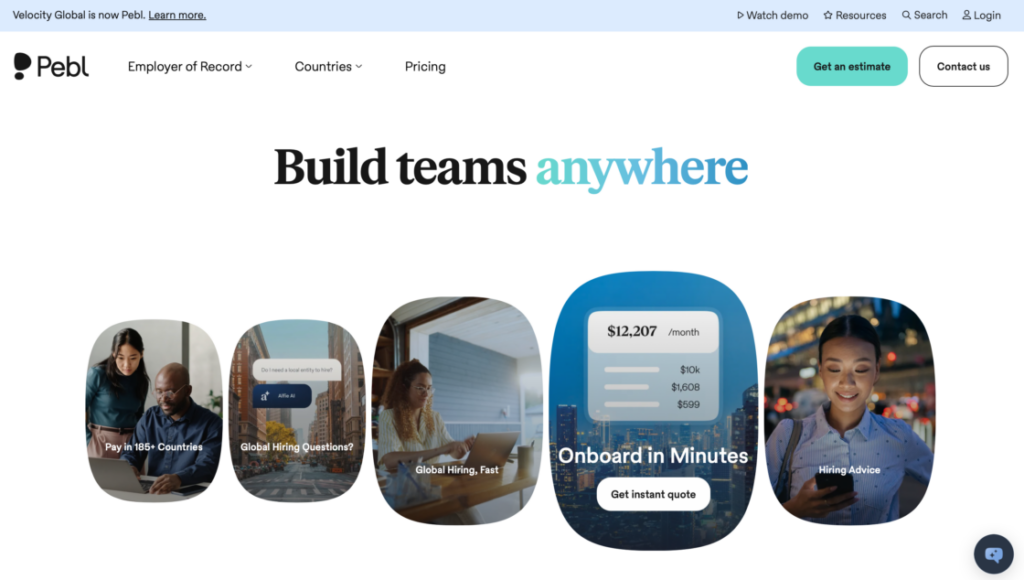
Pebl delivers white-glove EOR services, in-country HR expertise, compliance knowledge, and global mobility support for large organizations managing payroll at global scale.
Why it stands out: Pebl is designed for enterprises that need strategic, long-term global workforce planning rather than fast hiring.
Tradeoffs: High cost. Slower onboarding. No contractor-focused plans.
8. Gusto
Best for: U.S. companies paying international contractors
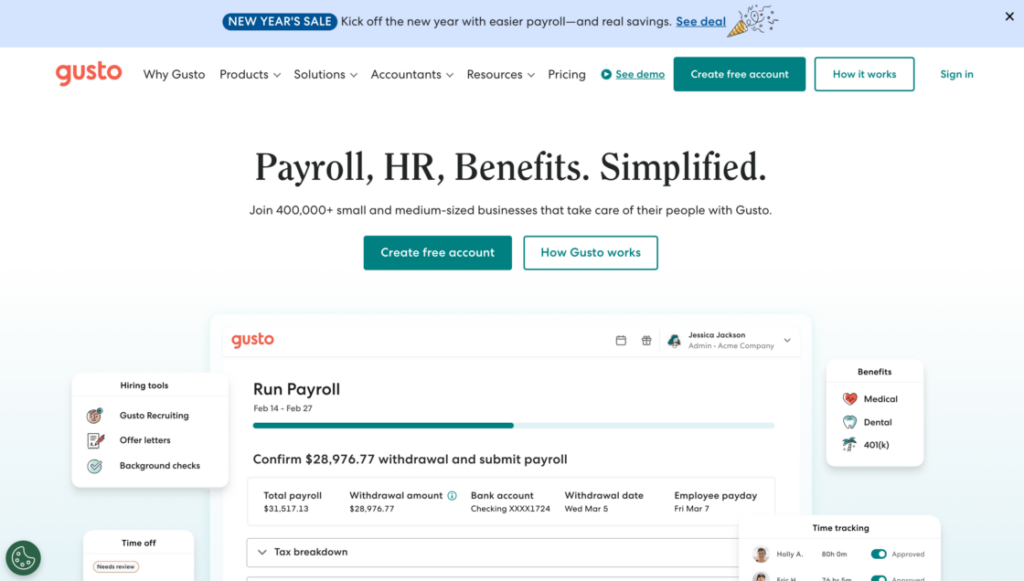
Gusto is a popular U.S. payroll platform that also supports international contractor payments through add-ons. Gusto’s pricing starts at $49 per month plus $6 per employee monthly, making it one of the most affordable options for U.S.-based businesses.
Why it stands out: For U.S.-first businesses working with overseas freelancers, Gusto offers familiar payroll workflows with basic international reach.
Tradeoffs: Limited global coverage compared to EOR platforms. Global features are secondary. It’s not ideal for non-U.S. employee hiring.
9. Globalization Partners (G-P)
Best for: Large enterprises with complex global employment needs
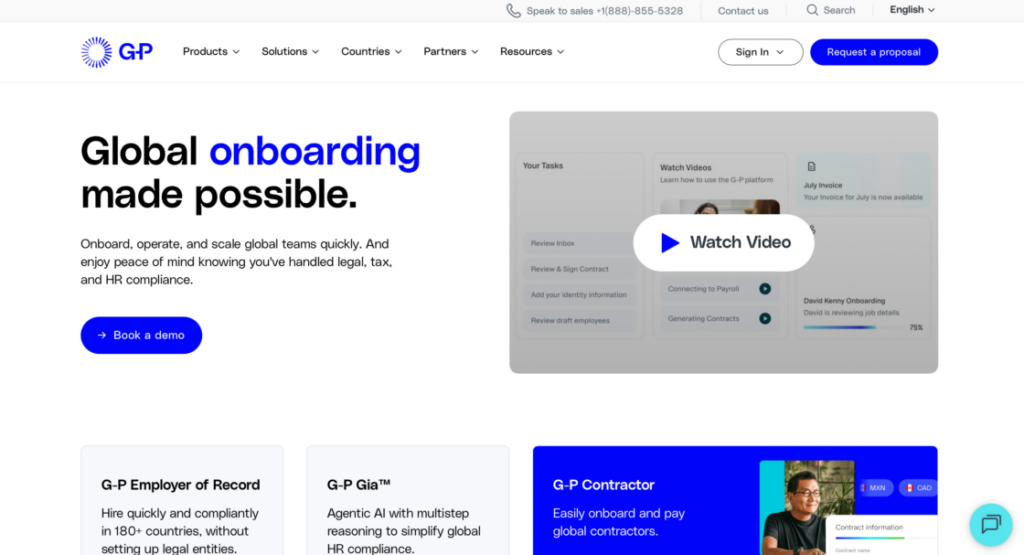
G-P is one of the most established Employer of Record providers on the market. It enables companies to hire full-time employees in over 180 countries without setting up local entities, handling payroll, taxes, benefits, and compliance at an enterprise level. Globalization Partners offers custom pricing for EOR services based on country and headcount.
Why it stands out: Globalization Partners is built for global scale, risk management, and deep compliance support. It enables companies to hire both full time employees and manage compliant employment contracts across local regulations in over 180 countries – where budget flexibility matters less than legal certainty and enterprise-grade support.
Tradeoffs: Very high cost compared to most Remote.com alternatives. Its pricing is based on salary percentages rather than flat fees. There’s also limited or no contractor or freelancer management support, and slower implementation timelines. Plus hidden costs may emerge beyond base pricing. It has limited automated workflows compared to newer platforms.
This breakdown shows that the best Remote alternative depends less on brand name and more on how you hire, pay, and scale.
Common mistakes when choosing Remote alternative
Now that you know the popular alternatives, it’s time to see what are the predictable traps when evaluating global employment platforms. Understanding these mistakes can save you from making the wrong choice. Let’s quickly go through each of them.
Paying for EOR when contractors are enough
Some businesses automatically assume they need an Employer of Record (EOR) for every hire. In reality, many teams work primarily with independent contractors or freelancers.
Why it matters: EOR services include full employment management, benefits, and compliance. If your workers are contractors, paying for these features is unnecessary.
Better approach: Look for contractor-friendly platforms like Useme or Deel that provide compliant payments without full employment overhead.
Ignoring contractor misclassification risks
Misclassifying a worker can create legal and financial problems, especially for international hires.
Why it matters: Different countries have specific rules for distinguishing employees from contractors. Misclassification can result in fines, back taxes, or compliance penalties.
Better approach: Choose a platform that helps with proper classification and provides templates or automated checks for contractor agreements.
Choosing global tools for U.S.-only needs
Many companies pick tools that advertise worldwide coverage, even if they only hire domestically.
Why it matters: Platforms designed for global employment can be more expensive and complex than necessary for U.S.-only teams.
Better approach: Evaluate your geographic needs first. For U.S.-focused payroll, solutions like Gusto may provide the right balance of features, speed, and cost.
Overvaluing feature quantity over usability
A long feature list doesn’t always translate to a better experience. Some platforms offer dozens of functions but are difficult to navigate or customize.
Why it matters: Teams can waste time learning complex software that doesn’t match their workflow.
Better approach: Prioritize platforms with features that directly solve your problems. Ease of use and speed of onboarding often matter more than having every possible feature.
Assuming “global coverage” means equal local support
Not all countries are supported equally, even if a platform claims extensive global coverage. Some regions may have limited HR or legal support, slower onboarding, hidden costs, or challenges with local benefits and local regulations.
Why it matters: Overestimating a platform’s reach can lead to delays, compliance issues, and hidden fees.
Better approach: Research local support in the countries you hire. Platforms with in-country advisors or owned entities (like Remote.com or Pebl) provide more reliable service.
Overlooking service quality in favor of brand recognition
A well-known brand doesn’t always guarantee the best experience for your specific needs.
Why it matters: Some businesses choose platforms based on marketing appeal or interface design, only to face challenges when dealing with practical issues like regional compliance, benefits setup, or urgent HR matters.
Better approach: Research customer experiences in the specific regions where you’ll hire. Evaluate response times, support quality, and how well the platform handles complex scenarios. Prioritize functional excellence over visual appeal – especially when managing sensitive matters like immigration paperwork or localized benefits packages.
Avoid these common mistakes by matching the platform to your actual hiring needs, geographic focus, and team size. The best Remote.com alternative isn’t necessarily the one with the most features – it’s the one that fits your workflow, workforce type, and budget.
Quick decision checklist
Ready to make a choice? Use this checklist to determine which type of platform you need:
Choose an EOR platform (like Remote.com, Deel, or Oyster) if:
- You’re hiring full-time international employees.
- You need the provider to handle benefits and employment compliance.
- You’re building a long-term team in multiple countries.
- Your budget supports $400-600+ per employee monthly.
Choose a contractor platform (like Useme or Gusto) if:
- You work primarily with freelancers or project-based specialists.
- You need fast onboarding (hours or days, not weeks).
- You want to avoid monthly subscription fees.
- Your team structure changes frequently.
Choose a hybrid platform (like Deel or Rippling) if:
- You hire both employees and contractors.
- You need flexibility to convert contractors to full-time roles.
- You want one system for mixed workforce management.
How to transition from Remote to an alternative
If you’re currently using Remote.com and considering a switch, here’s how to make the transition smooth:
For existing employees under EOR: You cannot simply “transfer” employees between EOR providers. The transition requires terminating the contract with Remote.com and establishing a new one with the alternative provider. This process typically takes 30-60 days and must comply with local termination requirements.
For contractors: Transitioning contractors is simpler. You can switch payment platforms immediately after completing any outstanding invoices. Most contractors can onboard to platforms like Useme or Deel within 24-48 hours.
Steps for a smooth transition:
- Audit your current setup – Review all active contracts, pending payments, and notice periods required by Remote.com.
- Choose your timing – Plan the switch around payroll cycles to avoid payment gaps.
- Test the new platform – Onboard one or two workers first to verify the process works smoothly.
- Communicate clearly – Inform your team about the change at least 30 days in advance.
- Maintain documentation – Keep records of all contracts, payments, and communications during the transition.
Potential challenges:
- Some countries require specific notice periods for EOR contract termination.
- Benefits continuation may have gaps between providers.
- Tax documentation needs to be updated with the new provider.
All in all, most companies complete the full transition within 60-90 days for employees, or immediately for contractor-only teams.
Why Useme is a smart Remote alternative for freelancers
Remote is a robust platform, offering a wide range of global employment and HR services. But if your primary focus is hiring freelancers or managing short-term projects, Remote’s full-scale EOR approach can feel more complicated and slower than necessary. This is where Useme shines.
Useme is designed for teams that need speed, simplicity, and intuitive payment processes for non-permanent employees. It removes the friction often associated with international or freelance work, making it easy to get talent onboard quickly and pay them efficiently.
Fast onboarding and payments
- Quick account setup: Creating an account and completing the first settlement takes only a few minutes.
- Rapid invoice availability: Freelancers receive their invoices within 48 hours, ensuring prompt payment and transparency.
- Collective payments and invoices: Manage multiple freelancers or projects with a single, streamlined transaction.
Flexible hiring process
- Post-to-start in hours: Adding a job ad and engaging a specialist can take as little as 2 hours.
- Free search for talent: You can browse qualified freelancers without additional fees before committing.
- No subscription fees: Useme charges only for completed settlements, keeping costs predictable and aligned with actual work.

Take action: find the right Remote alternative for your team
Choosing the right platform can transform how your team hires, pays, and manages talent. Whether you need a full EOR solution or a contractor-first platform, understanding your team’s needs is the key to choosing the right tool. Don’t overcomplicate hiring – pick the platform that works for your workflow, budget, and growth stage.
FAQs
Q1: What is the best Remote.com alternative for contractors?
For contractors, speed, ease of payment, and compliance matter most. Useme and Deel are top choices.
Q2: Is Remote.com worth it for freelancers?
Remote.com is designed for full-time employees and EOR services, so it may be more than necessary for freelancers. If your team primarily hires freelancers or short-term specialists, a platform like Useme provides faster payments and simpler management without extra EOR overhead.
Q3: Can I hire globally without an EOR?
Yes. You can legally engage contractors worldwide without establishing entities in each country. Platforms like Useme, Deel, and Gusto support global contractor payments and compliance without full EOR services, though full-time employment across borders usually requires an EOR.
Q4: What’s the cheapest Remote.com alternative?
For minimal upfront costs, Useme is highly cost-effective because it charges only per settlement and has no subscription fees. Other platforms like Deel or Rippling offer low entry points but may include mandatory monthly fees depending on the plan.
Q5: Do U.S. companies need an EOR to work with freelancers?
No. U.S. businesses can hire freelancers domestically or internationally without an EOR. An EOR is only needed for full-time employment abroad or when a company wants the provider to handle taxes, benefits, and labor law compliance. Contractor-first platforms like Useme make hiring freelancers simple without full EOR services.
Q6: Is Remote.com free to use?
No. Remote.com is not free. It charges monthly fees depending on the service you use: EOR services starting at $599 per employee per month, contractor management from $29–$99 per contractor per month, global payroll at $29 per employee per month, and Remote Talent recruiting tools starting at $119 per month.
Unlike platforms like Useme, which charge only per settlement, Remote.com requires ongoing subscriptions for each service tier, making it more suitable for businesses needing full-scale employment and compliance management.
Q7: What are the key features to look for in Remote.com competitors?
When evaluating Remote.com competitors, prioritize key features like transparent pricing, compliance automation, global coverage, payroll solutions, and customer support quality. Consider whether you need an employer of record capabilities, contractor management, or both. A unified dashboard, automated workflows, and compliance expertise are essential for managing global teams efficiently.
Q8: How do I ensure compliant hiring across multiple countries?
Compliant hiring requires understanding local labor laws, tax compliance, and compliance requirements in each region. Choose platforms with strong compliance knowledge and compliance support that can guide you through employment contracts, mandatory benefits, and local regulations. Whether using EOR services or contractor management tools, ensure the platform helps you maintain compliant employment contracts and handles payroll processing according to local regulations.
Q9: What tools do remote teams need for effective collaboration?
Successful remote work requires reliable digital infrastructure. Essential tools include platforms for team communication (like Slack, which integrates with over 2,600 tools for real-time, channel-based messaging), video conferencing (such as Zoom, renowned for stable video calls with features like breakout rooms and live transcription), project management (like Asana for managing cross-functional tasks with timelines and Kanban boards), collaborative planning (such as Miro, which provides an infinite digital canvas for brainstorming and agile planning), and documentation (like Notion, which serves as a versatile workspace for building internal wikis and centralized databases). Pairing the right collaboration tools with an appropriate hiring platform creates a complete remote work infrastructure.
Disclaimer: This article is for informational purposes only and does not constitute legal, financial, or employment advice. Employment laws and platform features change regularly. Always consult with qualified professionals before making hiring decisions.
This article was created with the assistance of AI technology.
| Author: Ela Binkowska |